How crew invitations work in RegattaHub
When a skipper adds crew with their email, RegattaHub emails each crew member an invitation to join the entry. Questions asked of each sailor are answered by the sailor themselves: on the entry form, or when they accept the invitation if they already have a RegattaHub account.
The skipper usually enters the boat, but personal questions such as access needs, medical details or clothing sizes belong to each sailor. RegattaHub lets the skipper list the crew as they enter and makes sure every crew member can answer for themselves.
On the entry form
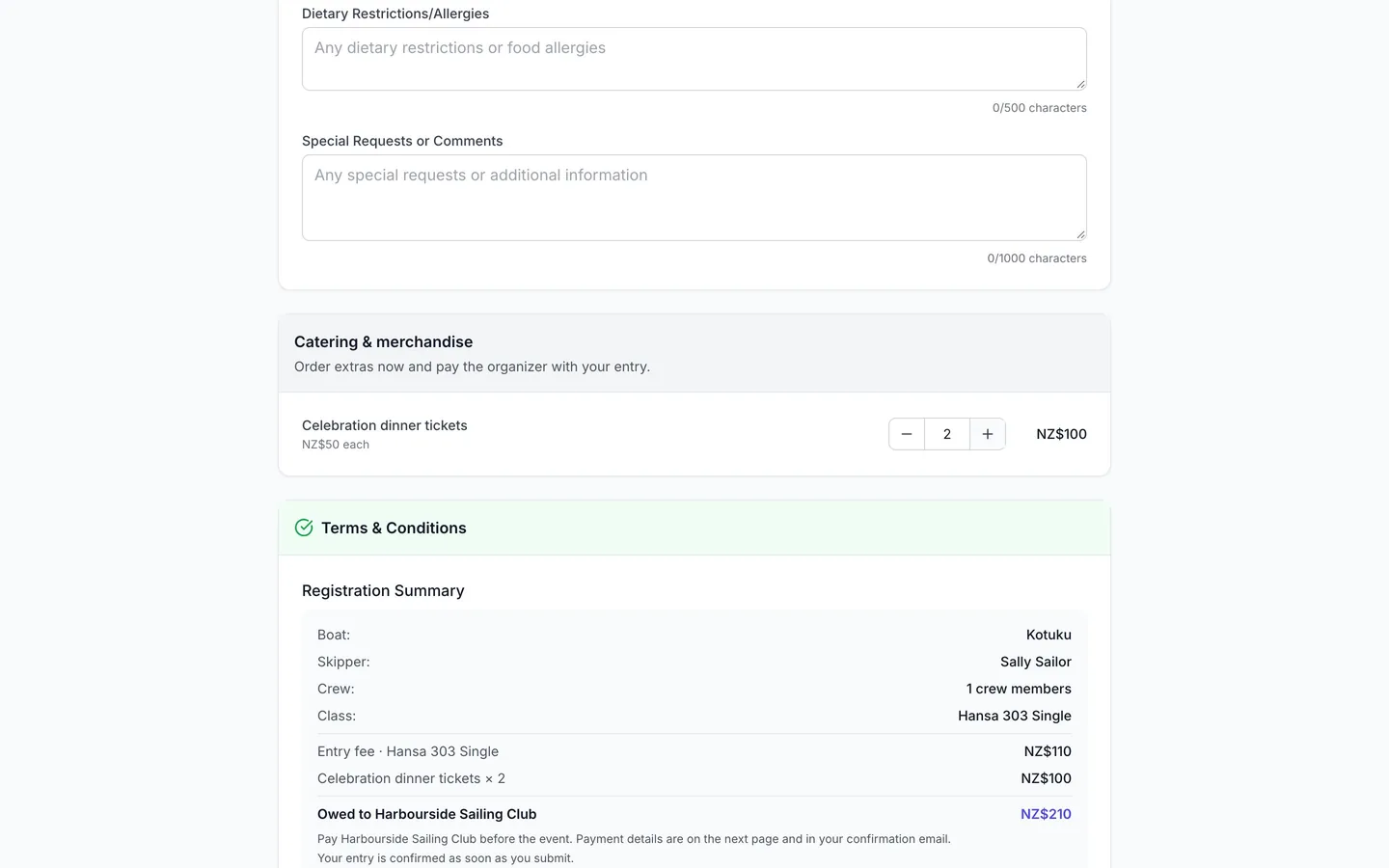
When your registration form uses the form builder (at least one section, a follow-up, a priced extra, a long-text question or a question for the skipper), the entry form has a Sailors card. It says "Everyone on the boat answers the questions below. You can add crew now or invite them later." and its badge counts the sailors on board. A form without any of those shows the simpler Crew Information card instead.
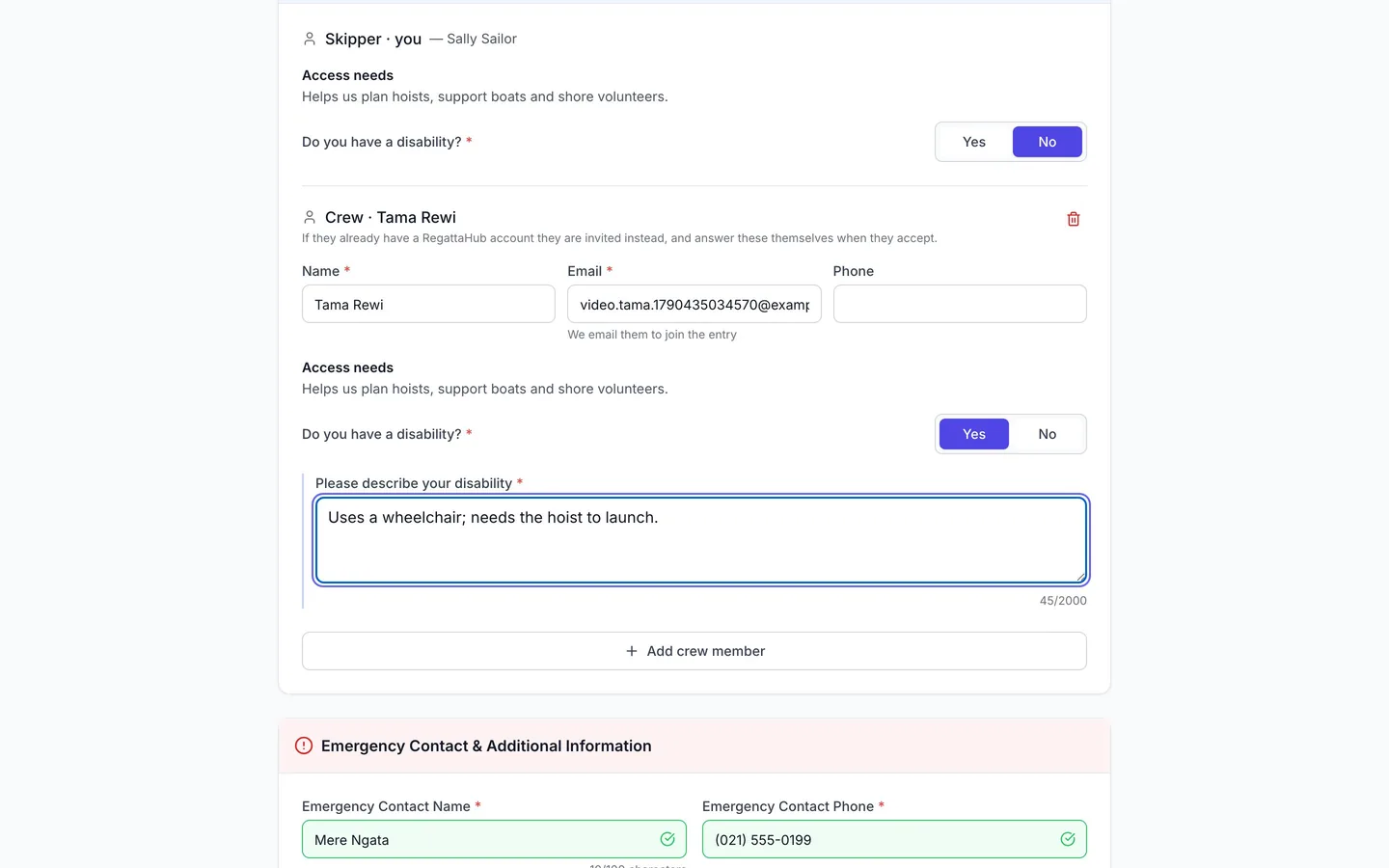
- The skipper answers their own questions in the Skipper · you block.
- They press Add crew member and enter the crew member's Name, Email and, optionally, Phone. The email is required; the form notes "We email them to join the entry."
- Each crew member gets their own block with the questions you ask of each sailor, including follow-ups. The block notes: "If they already have a RegattaHub account they are invited instead, and answer these themselves when they accept."
- The skipper submits the entry. Required questions must be answered for every sailor shown before the entry can be submitted.
What the invitation does
- Crew without a RegattaHub account are added to the entry straight away, with any answers the skipper gave for them, and are emailed an invitation to join the entry.
- Crew who already have an account are invited instead: they are listed under Crew Members on the entry page with an Invited badge, and they answer their own questions when they accept.
The email, Crew Invitation for your event, has an Accept Invitation button. The crew member signs in (or creates an account), and the Complete Crew Registration page asks for their emergency contact and, under Additional Crew Information, your each-sailor questions. Follow-ups appear only when they apply and are required only while shown. After Confirm Registration, the crew member shows as Confirmed and their answers appear on the entry.
Crew can also confirm from My Event: the Confirm Registration dialog asks the same each-sailor questions.
After entering
- The skipper can add more crew later from the entry page, and resend an invitation with Resend next to the crew member's name.
- The entry page's Entry form answers card lists every answer by section and by sailor. Answers marked committee-only stay with the organizers; crewmates don't see each other's.
- Organizers see all answers on the entry in the Entries tab, and every sailor's answers in one grid in Advanced mode › Sailors.
Tips for organizers
- Ask personal questions of Each sailor, not the skipper; boat questions (a berth, a trailer space) of the Boat.
- Tick Only race committee can see the answer on medical and access questions.
- Use Preview as a sailor to see the Sailors card exactly as skippers will (see the form builder guide).
Frequently asked questions
Do crew members get an email?
Yes. Every crew member added with an email on the entry form is sent an invitation to join the entry, with an Accept Invitation button.
Can the skipper answer questions for the crew?
For crew without a RegattaHub account, the skipper can answer their each-sailor questions on the entry form. Crew who already have an account are invited instead and answer for themselves when they accept.
What does a crew member see when they accept?
A Complete Crew Registration page with their emergency contact and your each-sailor questions under Additional Crew Information. Follow-ups appear only when they apply.
The invitation did not arrive. What now?
The skipper can press Resend next to the crew member under Crew Members on the entry page. Invited crew show an Invited badge until they accept.
Can crewmates see each other’s answers?
Not answers marked committee-only. Those are visible to the organizers only.
Related guides
- → Build your registration form: sections, follow-ups, extras Sections, questions for each sailor, follow-ups that appear only when they apply, priced extras, and Preview as a sailor.
- → Set up entry fees: online or collected by the organizer No fee, fees you collect yourself by bank transfer or cash, or card payments online — and how to record payments as they arrive.
- → Advanced mode: every answer, payment and rating Every entry’s answers, owed and paid, and ratings in one grid: edit in place, total the extras, export to CSV.
First regatta free
No monthly fees. No commitment. Try RegattaHub on a real event at zero cost.
Go to App