Regatta registration, your way
Take entry fees online, or let sailors pay you directly. Ask exactly what your event needs, once per boat or of every sailor. Preview the form as a sailor, then see every answer, and who has paid, in one place.
Entry fees
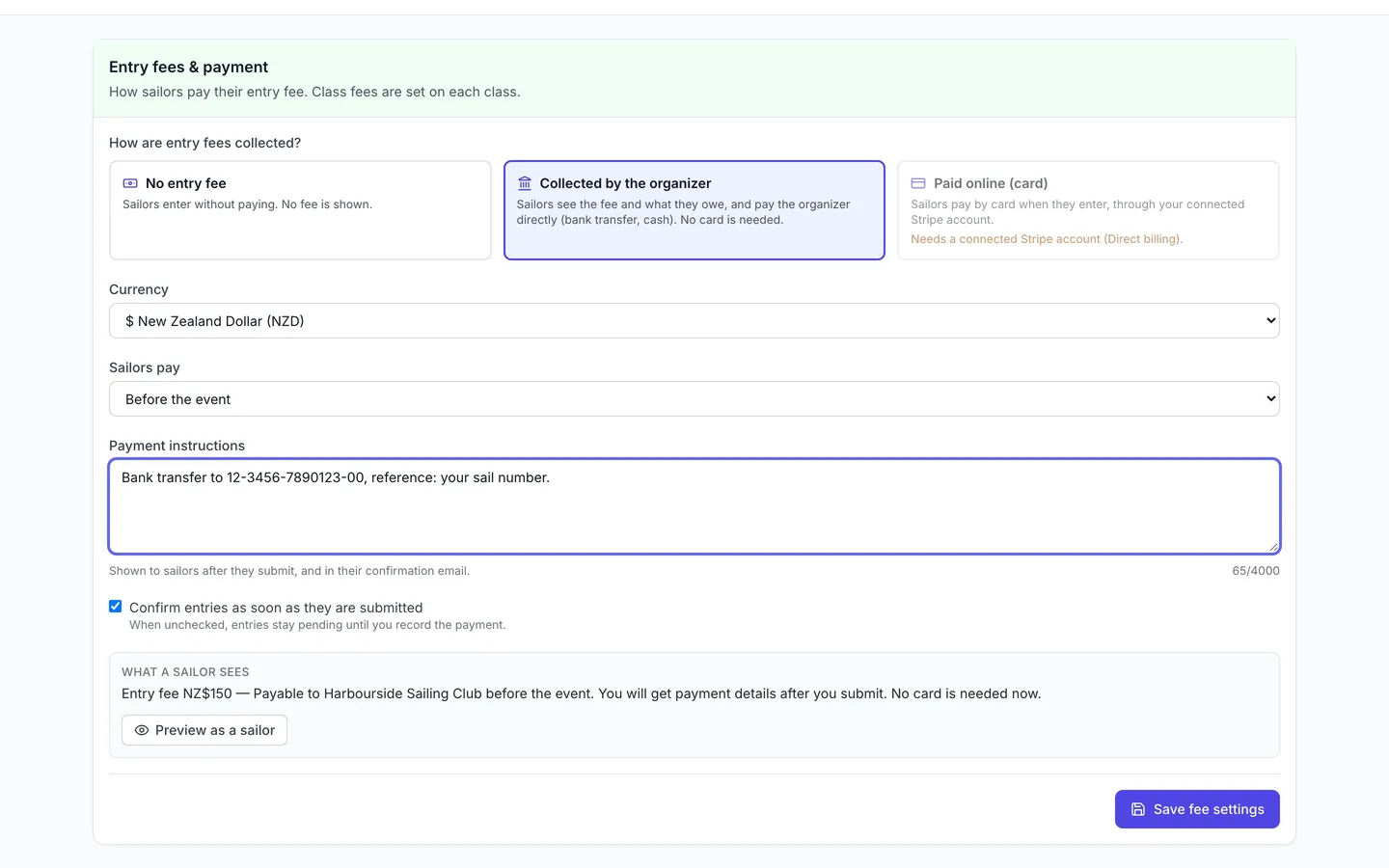
Take fees online, or collect them yourself
Choose how each event’s entry fees are collected. When you collect them yourself, sailors still see the fee and what they owe, and get your payment instructions, with no card needed.
- No entry fee, collected by the organizer, or paid online by card
- Pay before the event or at check-in, with your own payment instructions
- Confirm entries straight away, or when you have been paid
- No RegattaHub fee for a regatta that doesn’t accept payments via RegattaHub
Registration form builder
Ask exactly what your event needs
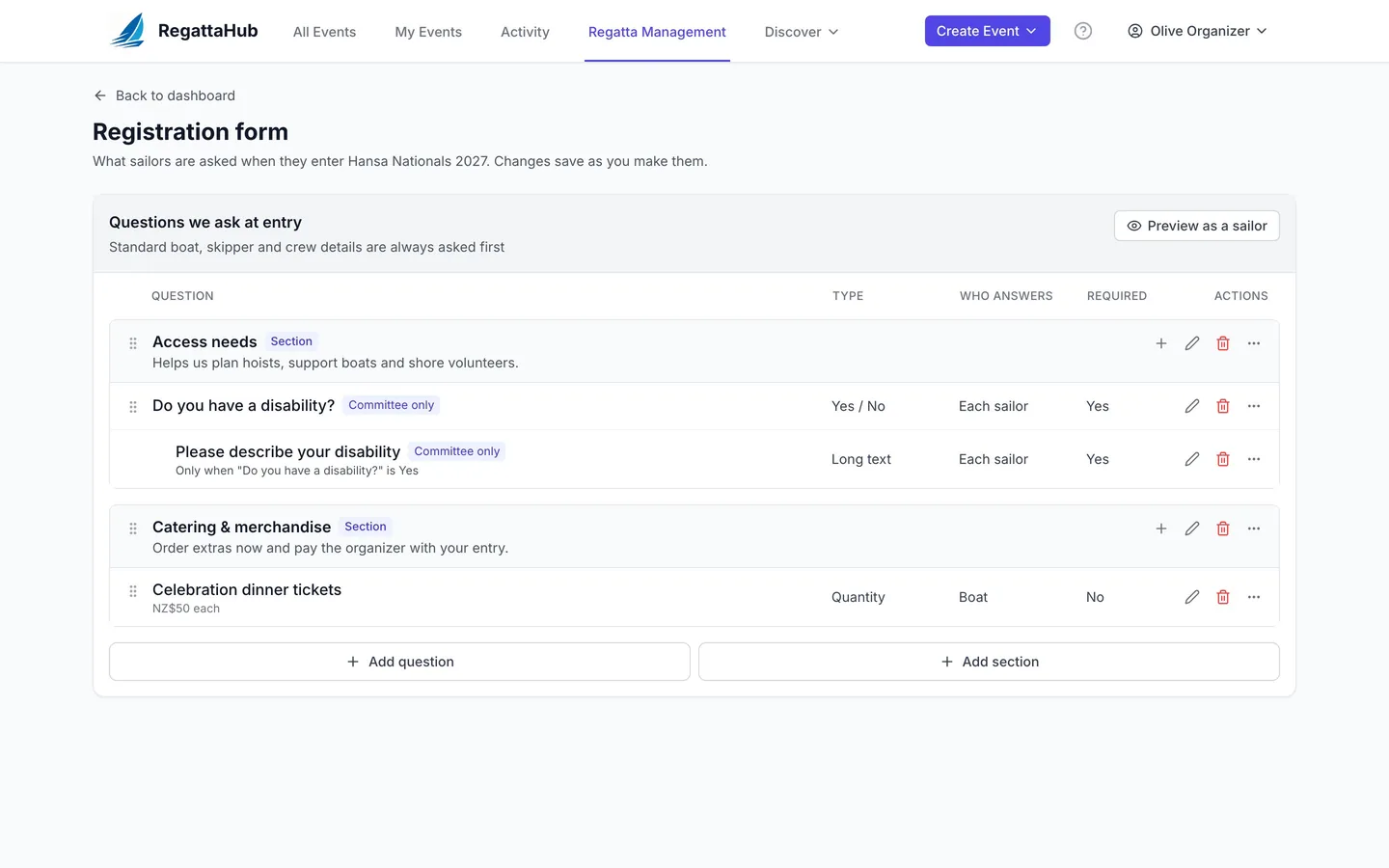
Group questions into sections, ask personal questions of each sailor, show follow-ups only when they apply, and sell extras such as dinner tickets with the entry.
- Short and long text, Yes / No, dropdown, multi-select, date and quantity questions
- Answered once per boat, by the skipper, or by each sailor
- Follow-up questions that are required only while they show
- Priced extras added to what the boat owes, or to the card payment
- Committee-only answers for medical and access questions
Preview as a sailor
Check the form before entries open
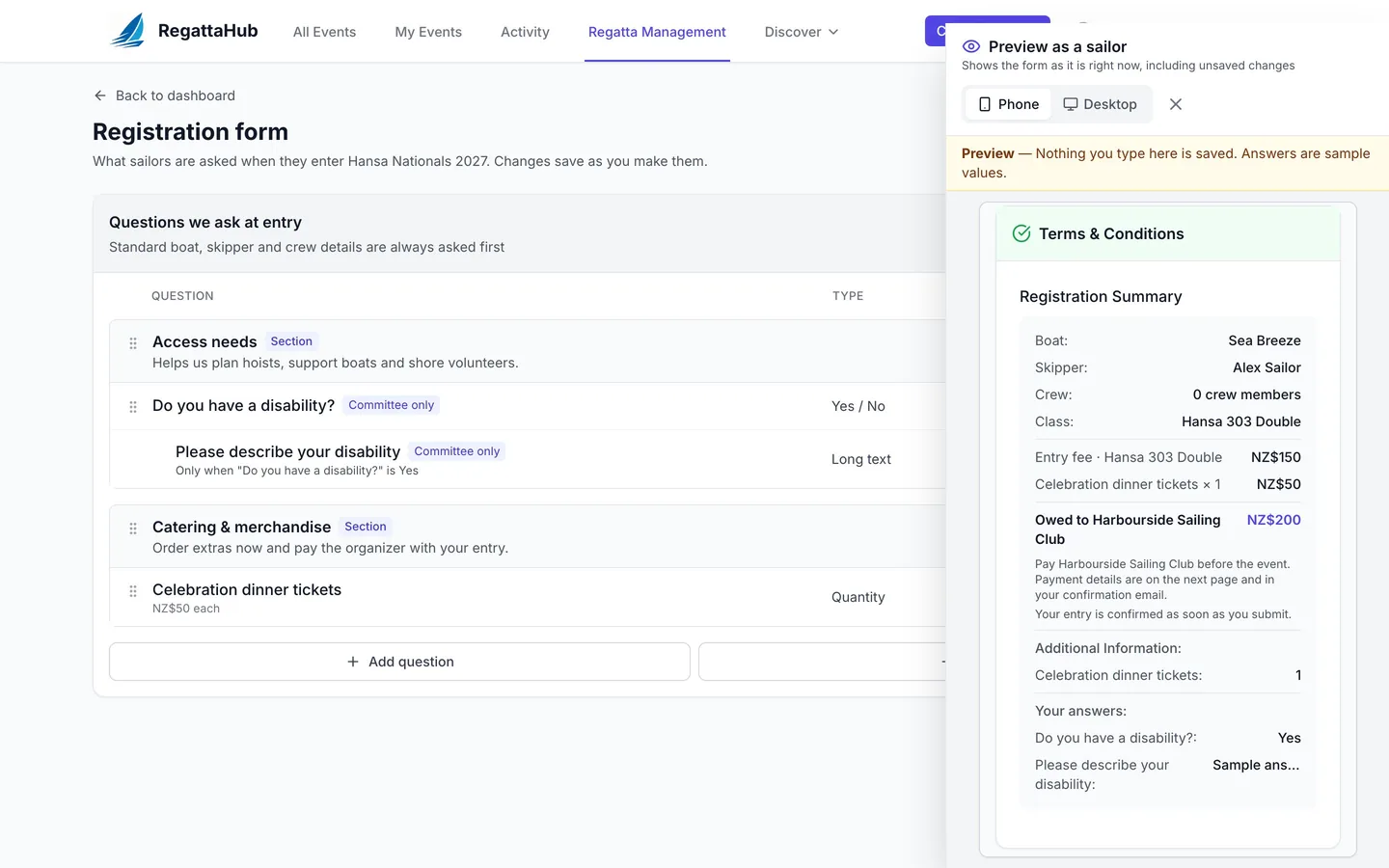
Open the real entry form with sample answers, including changes you haven’t saved, at phone or desktop width. Nothing you type is saved.
- Follow-ups say why they appear
- The total follows the answers, with every extra itemised
- Available from the form builder, the fee settings and Edit Event Details
For sailors
Clear fees, every sailor answers for themselves
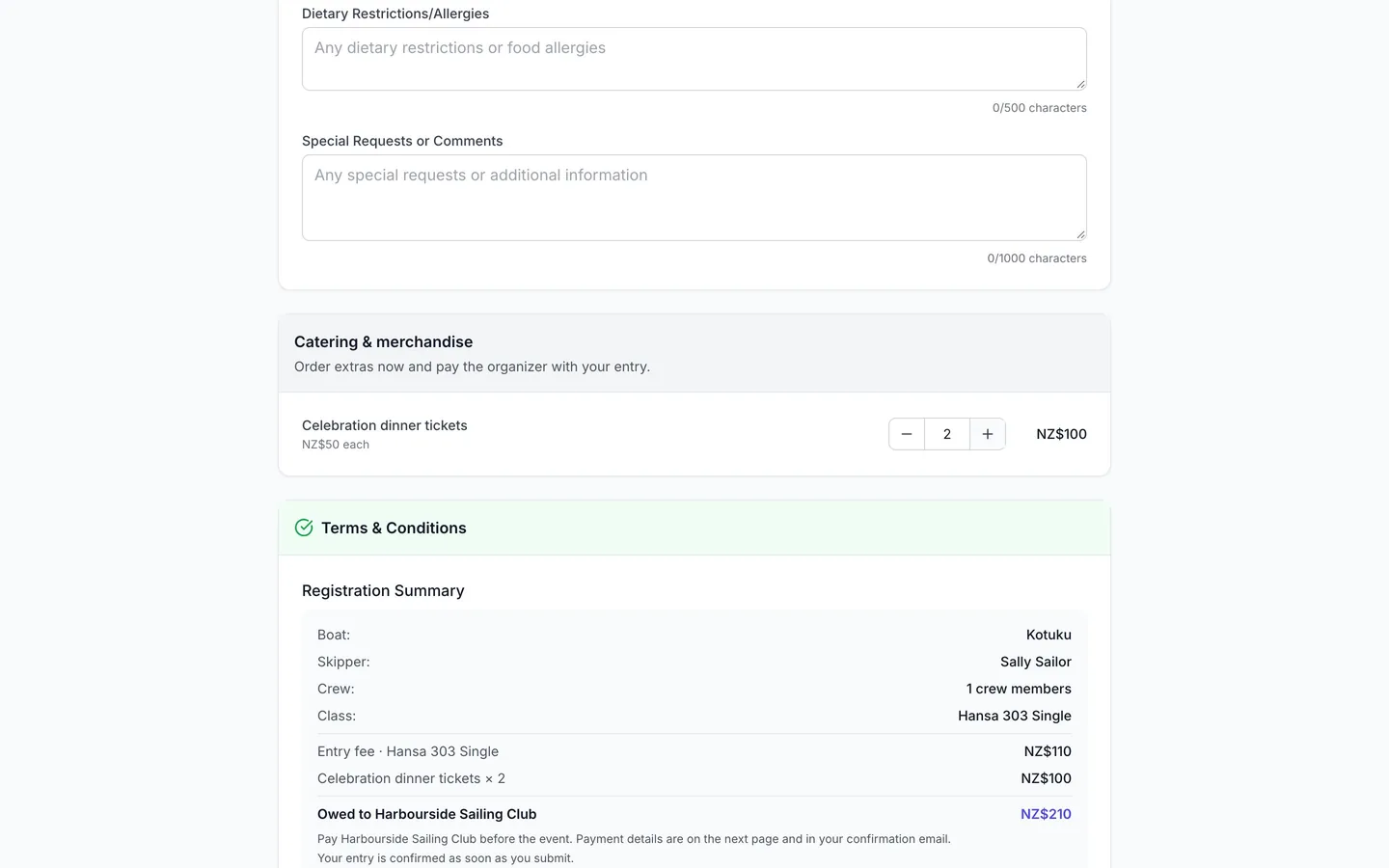
Sailors see each class’s fee, who to pay and when, and an itemised summary before they submit. Crew added with their email are invited to join the entry and answer their own questions.
- An itemised summary: entry fee, extras and the total owed
- “Submit entry”, never a payment page, when you collect fees yourself
- Crew invited by email; crew with an account answer when they accept
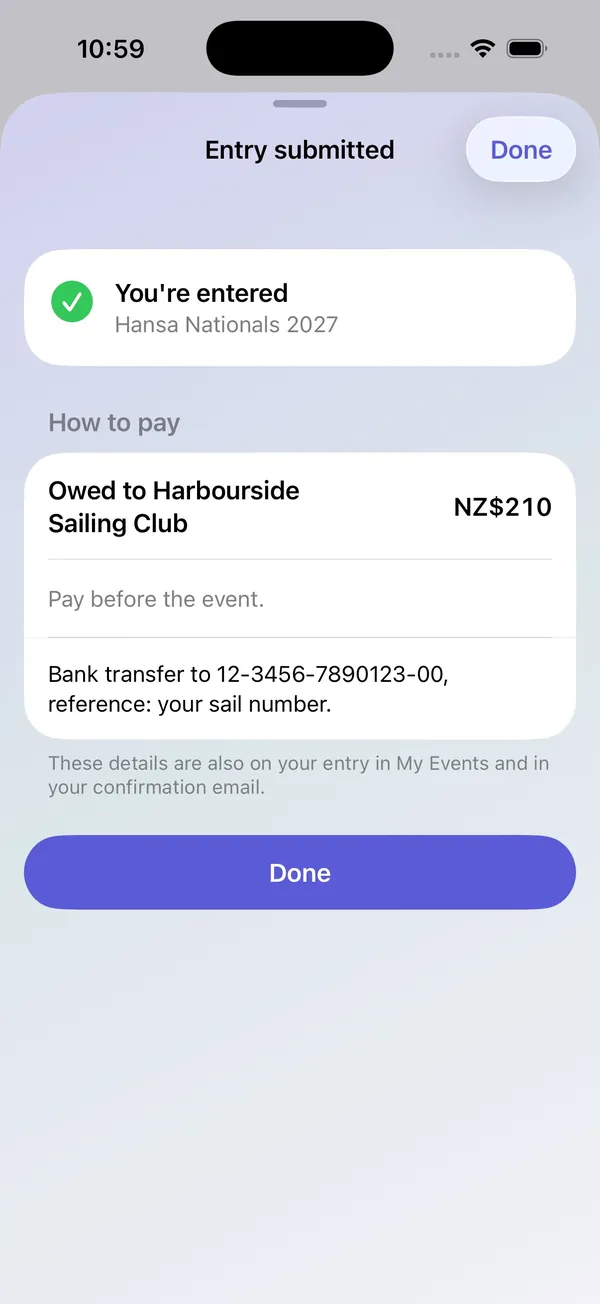
- The entry page shows what is owed and paid, and how to pay
Payments
See who has paid at a glance
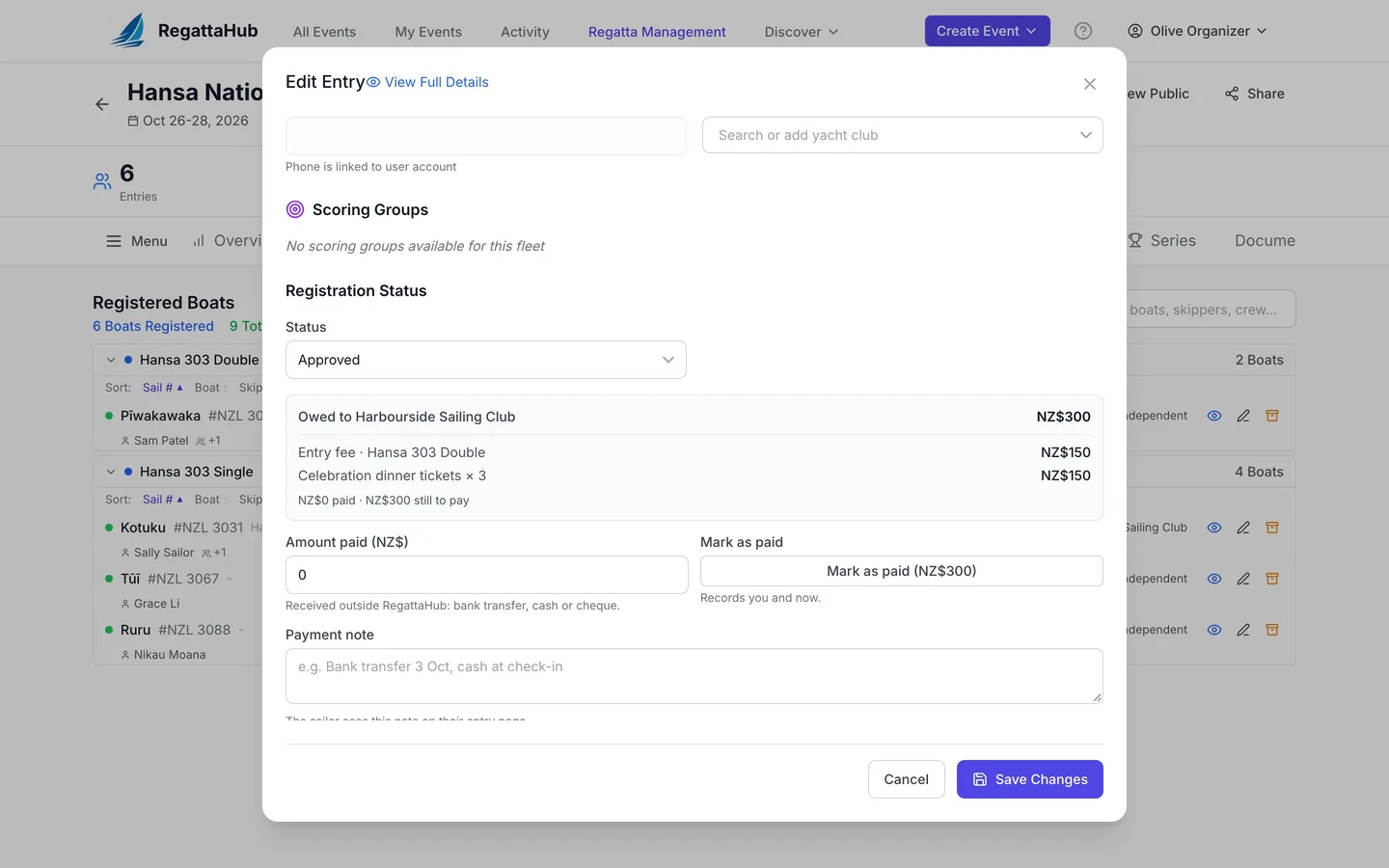
The Entries tab shows what each boat owes and has paid, with an Unpaid filter. Record a bank transfer or cash payment with Mark as paid; RegattaHub notes who recorded it and when.
- Owed and paid for every boat, itemised by entry fee and extras
- Unpaid filter on the Entries tab and in Advanced mode
- Mark as paid, amount paid and a payment note
Advanced mode
Every answer in one spreadsheet
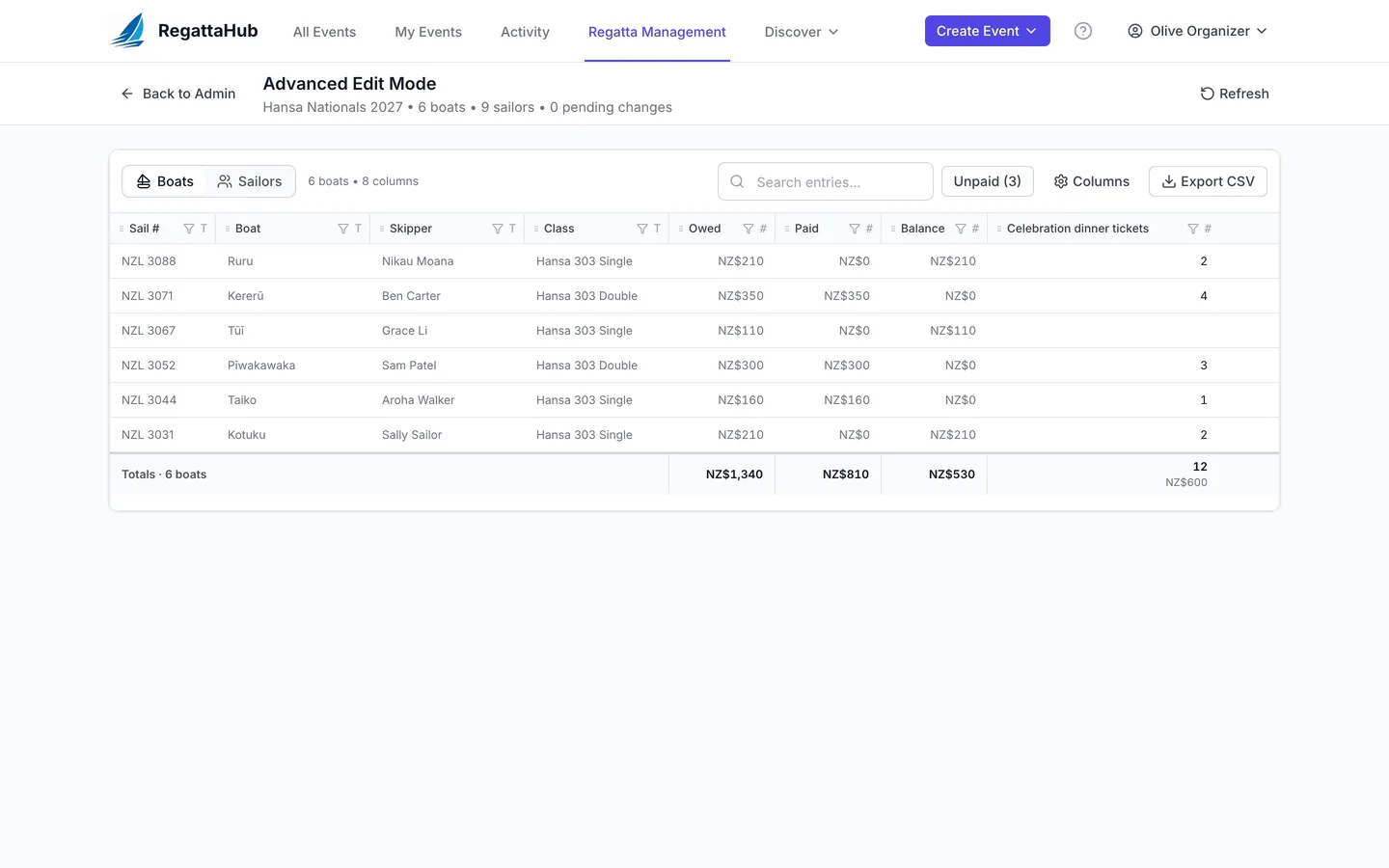
A spreadsheet of every entry, on every regatta: one row per boat or per sailor, a column for every question, what each boat owes and has paid, and each boat’s rating. Edit in place and export exactly what you see.
- Boats and Sailors views, with totals for each extra
- Edit answers in place; a changed quantity re-prices the entry
- Rating columns for handicap classes
- Export CSV for the caterer, the safety team or the club office
Coming to iPhone
The same form, coming to the RegattaHub app
The RegattaHub iPhone app is coming soon. Sailors entering there will see each class’s fee, your sections and questions, follow-ups that appear when they apply, the quantity stepper for extras, and an itemised summary, and afterwards what is owed, what has been paid and how to pay.
Step-by-step guides
Step-by-step help for setting up fees and forms, and for working with the answers.
Set up entry fees: online or collected by the organizer
No fee, fees you collect yourself by bank transfer or cash, or card payments online — and how to record payments as they arrive.
Step-by-step · 6 min readBuild your registration form: sections, follow-ups, extras
Sections, questions for each sailor, follow-ups that appear only when they apply, priced extras, and Preview as a sailor.
Step-by-step · 3 min readCrew invitations: adding crew and their own answers
How skippers add crew, what the invitation email does, and how crew answer their own questions when they accept.
Step-by-step · 3 min readAdvanced mode: every answer, payment and rating
Every entry’s answers, owed and paid, and ratings in one grid: edit in place, total the extras, export to CSV.
Full instructions in the Help Center: Entry fees → · Registration form → · Inviting crew → · Advanced mode →
Frequently asked questions
Can sailors register without paying by card? +
Yes. Choose Collected by the organizer: sailors see the entry fee and what they owe, submit without a card, and get your payment instructions after they enter. You record payments with Mark as paid.
Is there a RegattaHub fee when I collect entry fees myself? +
Only if the regatta also accepts payments via RegattaHub: then the $5 per entry fee applies to every entry, including free entries and entries paid later or to you. A regatta that does not accept payments via RegattaHub has no RegattaHub fee.
Can each crew member answer their own questions? +
Yes. Questions asked of each sailor are answered by the skipper and every crew member for themselves. Crew added with their email are invited to join the entry, and crew with a RegattaHub account answer when they accept.
Can I sell dinner tickets or T-shirts with the entry? +
Yes. Add a Quantity (with a price) question. Sailors choose how many, and the price is added to what the boat owes, or to the card payment when fees are paid online.
Can I see the form before entries open? +
Yes. Preview as a sailor shows the real entry form with sample answers at phone or desktop width. Nothing you type is saved.