Advanced regatta scoring, only when you want it
Most regattas never need it: RRS Appendix A low point, your discards and the rulebook tie-breaks work with no setup. When your sailing instructions ask for more, such as a medal race, a Portsmouth or IRC handicap, your own points table or club finish codes, it is all on one page. And you see who moves before anything is saved.
Default until you change it
Nothing to set up for a normal regatta
Every class starts on default scoring. The class editor keeps the everyday settings, and everything else sits behind one link in Settings and one on the results page.
- RRS Appendix A low point, your discards and RRS A8 tie-breaks out of the box
- Rating system in the class editor: one design, PHRF, ORC, RYA Portsmouth or IRC
- A minimum number of races to qualify, with DNQ in the results
- A clear Default scoring or Customized scoring label on every class
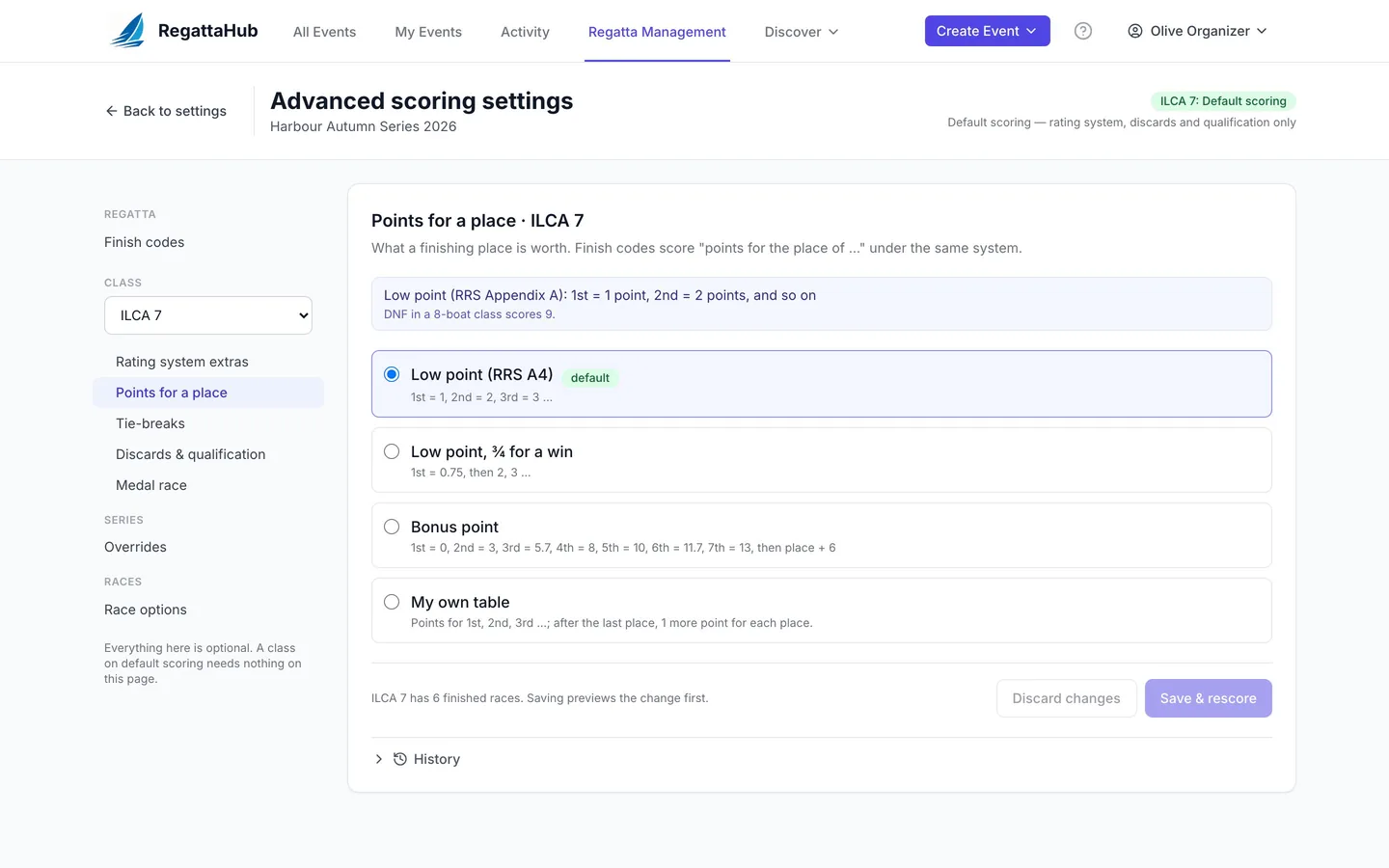
Points for a place
See who moves before you save
Change how a class is scored and read the new rule in one sentence. Before anything is saved, a preview lists every boat whose rank or net points change, and the races that changed.
- Low point, low point with ¾ for a win, or bonus point
- Your own points table, or a points formula in p, the place
- Tie-breaks: RRS A8.1, A8.2, Appendix B8.8, and A8.2 from a given race for finals
- Rules checked before saving: a table that goes down, or a formula that gives a lower place fewer points, is refused with the reason
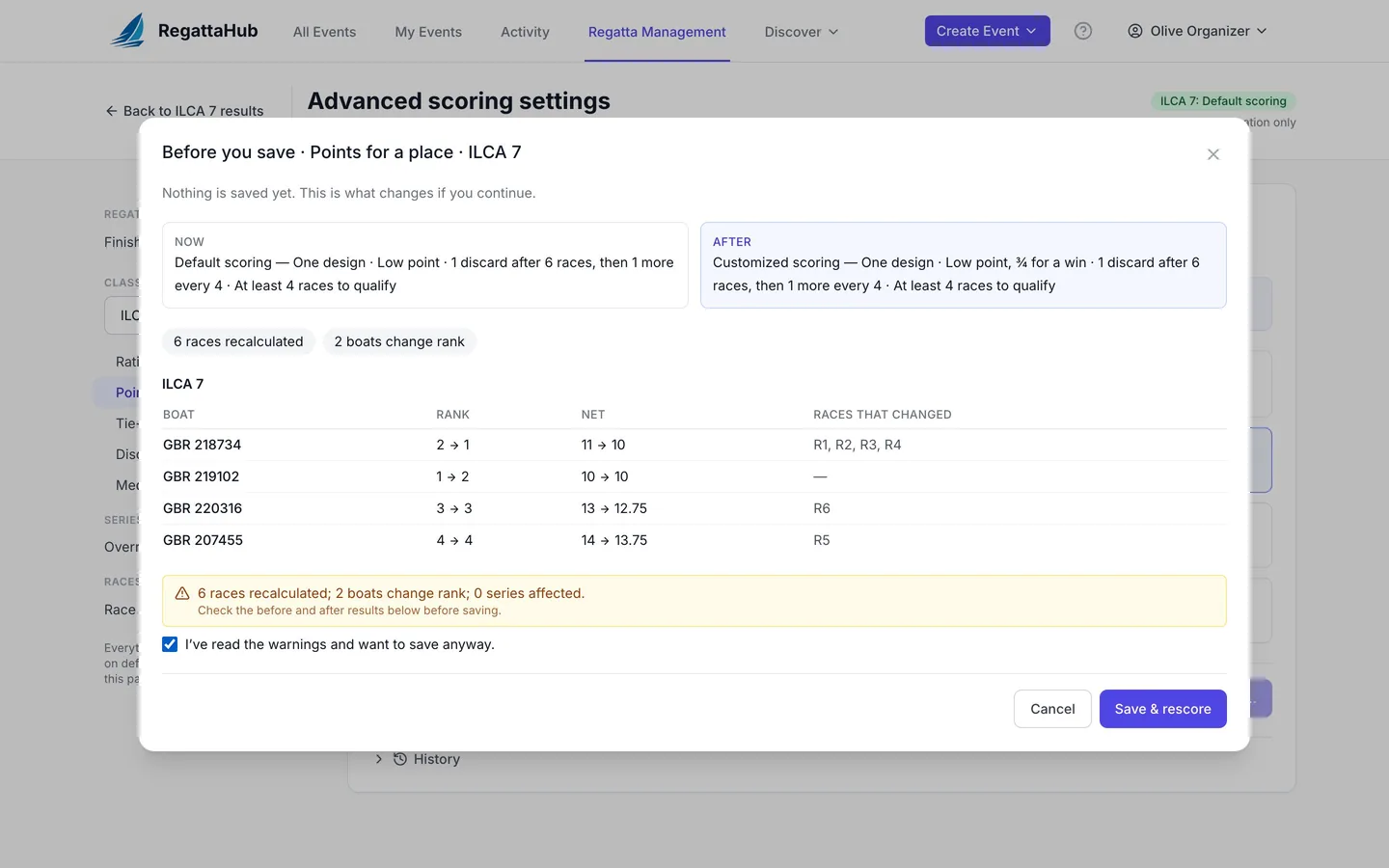
Medal races
Double points, and a line nobody below can cross
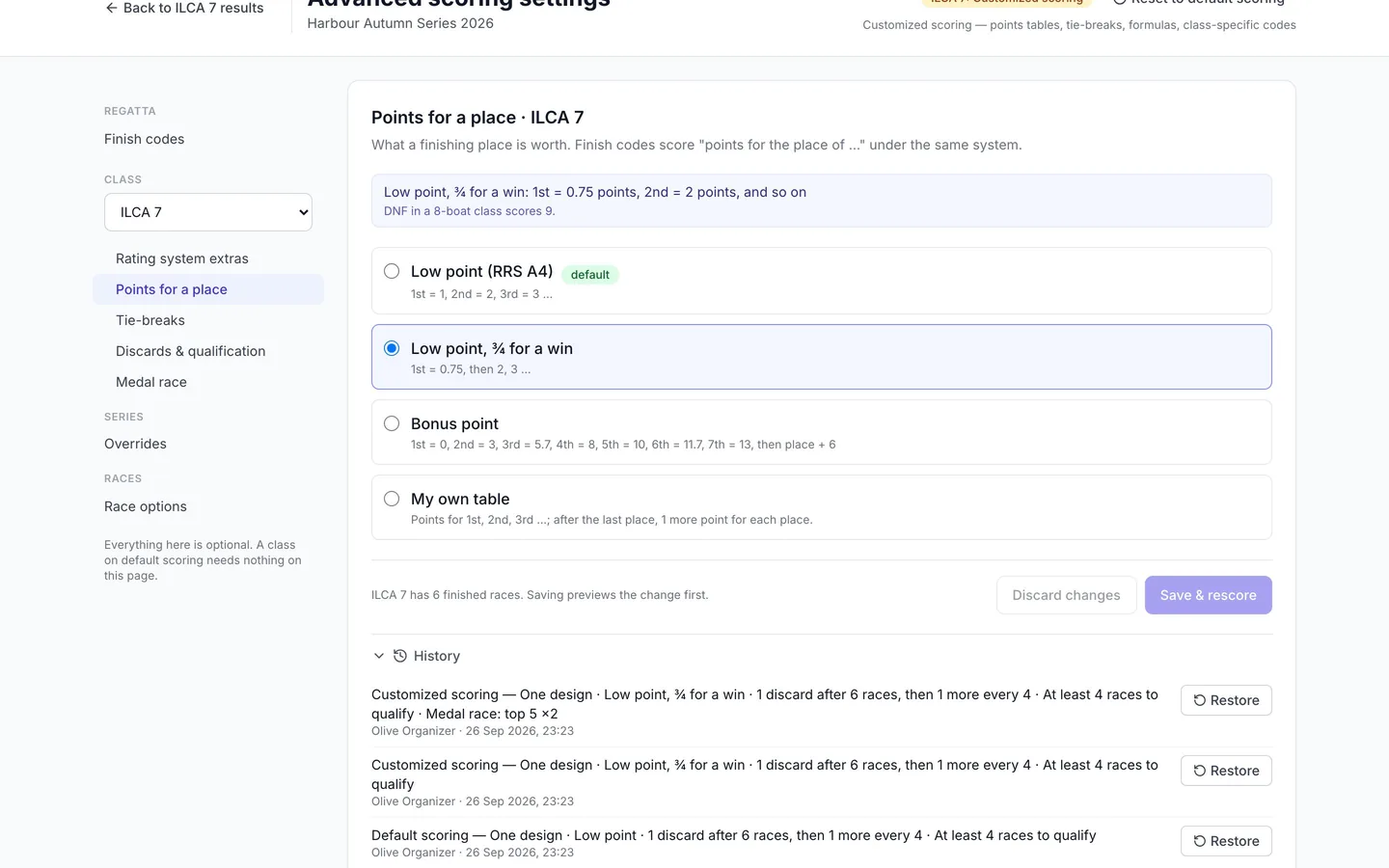
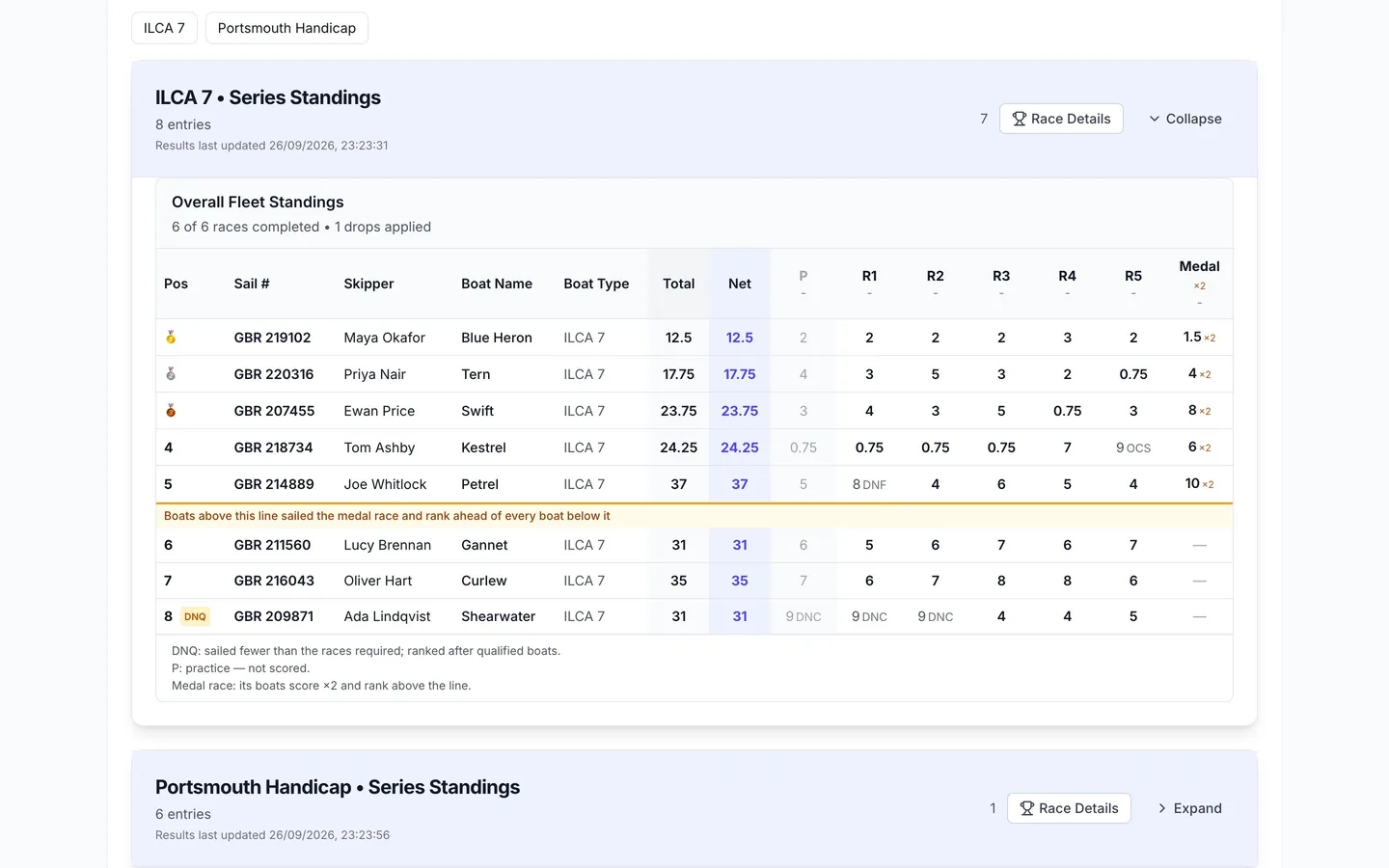
Choose the race and who sails it. By default the medal race scores double, can’t be discarded, and its boats rank above everyone who didn’t sail it.
- Top N boats after the opening series, or the boats you choose
- Points multiplier, how non-finishers score, and which standings it counts in
- The medal boats are fixed once the medal race is published
- The Medal column and the line show on public results
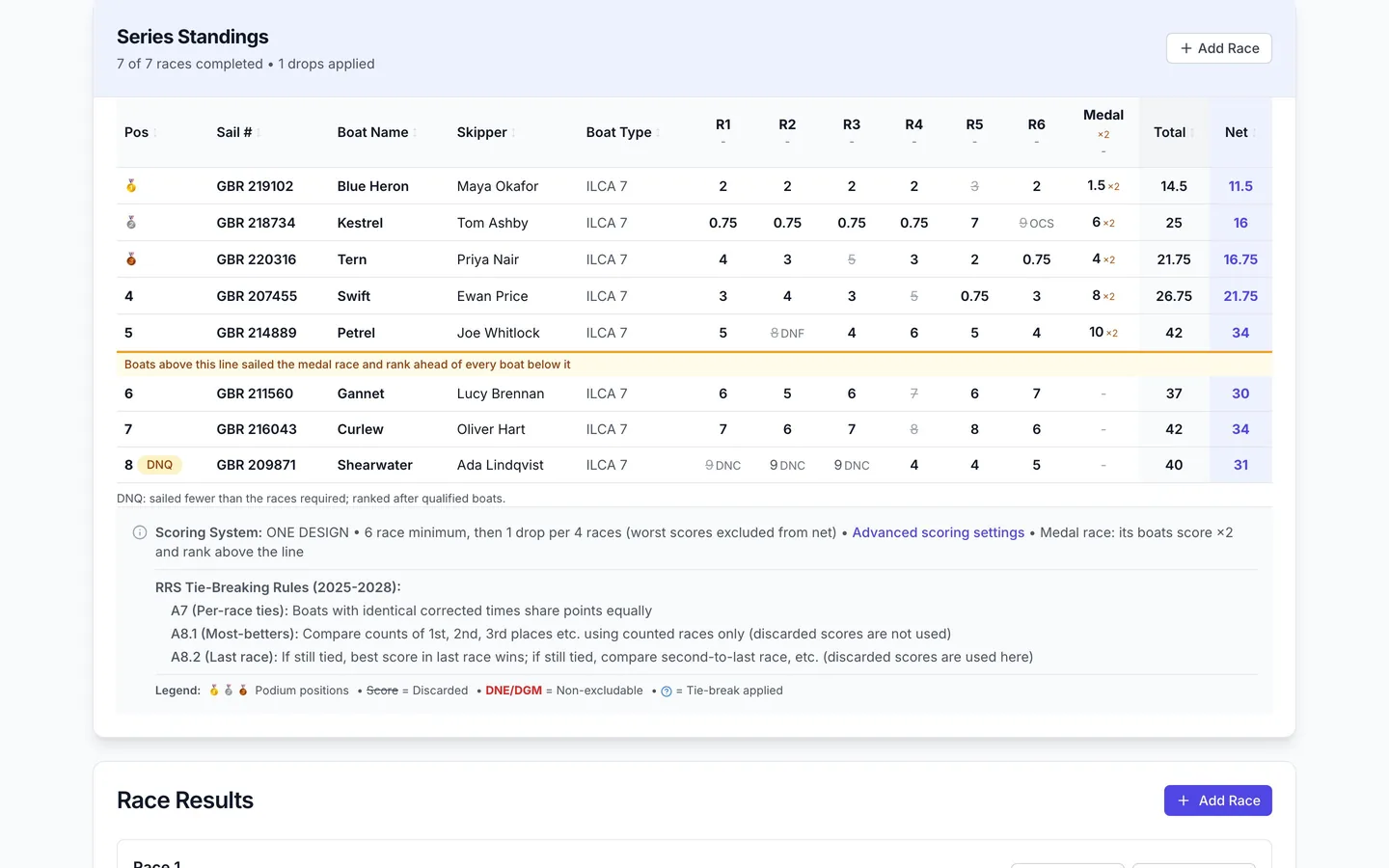
Custom handicaps
Portsmouth, IRC, or your own rating formula
Pick RYA Portsmouth or IRC as a class’s rating system, or write your own formula for a club handicap. Sailors give their rating when they enter, and a number outside the usual range asks them to check it.
- Corrected time from elapsed time, rating and race distance, rounded to the whole second
- Your own rating name and usual range, used on the entry form
- A Check panel that works an example before you save; formulas that could favor a slower boat are refused
- Ratings in Advanced mode, bulk upload, and per-race overrides in finish entry
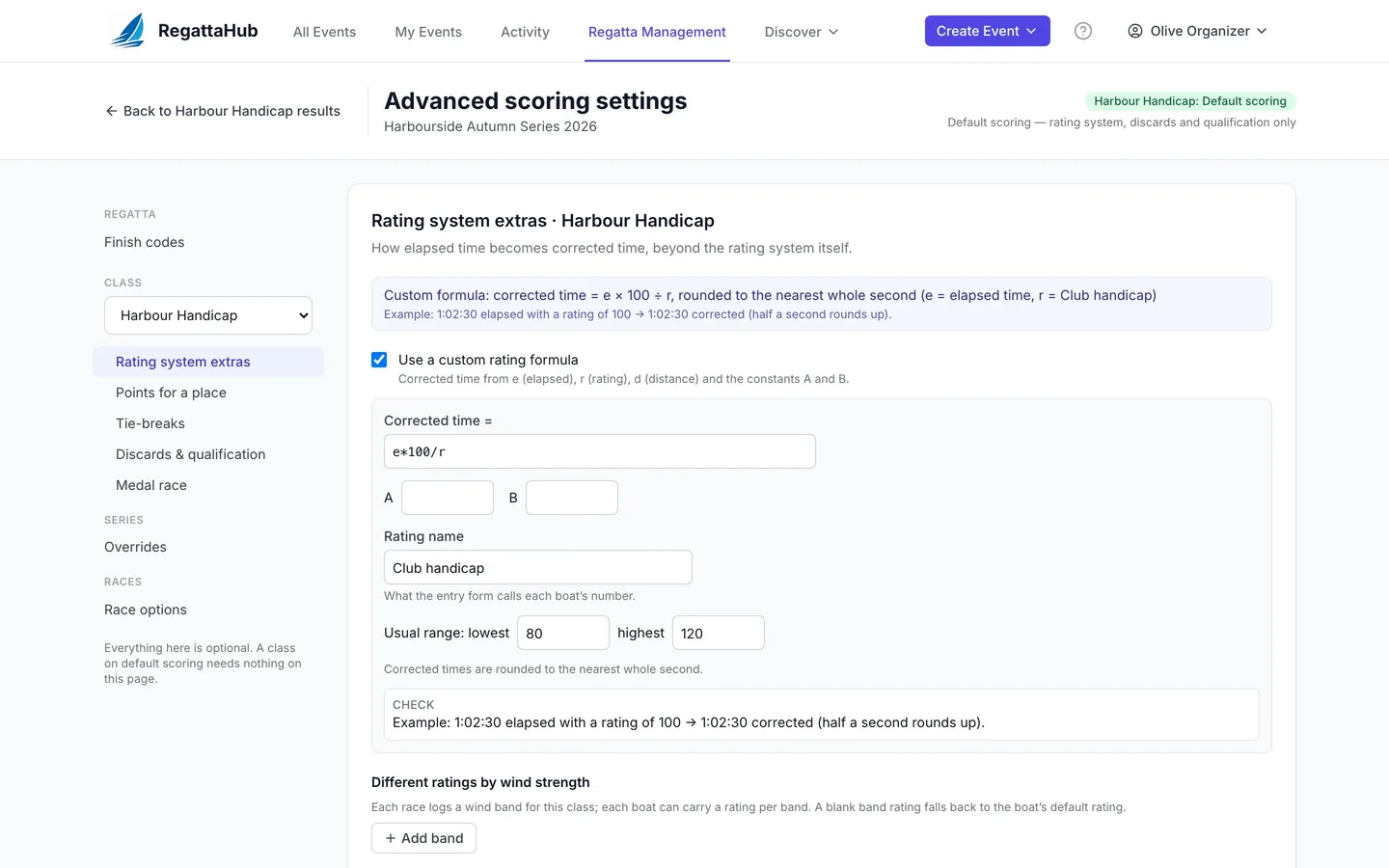
Finish codes
Your club’s codes, next to the rulebook’s
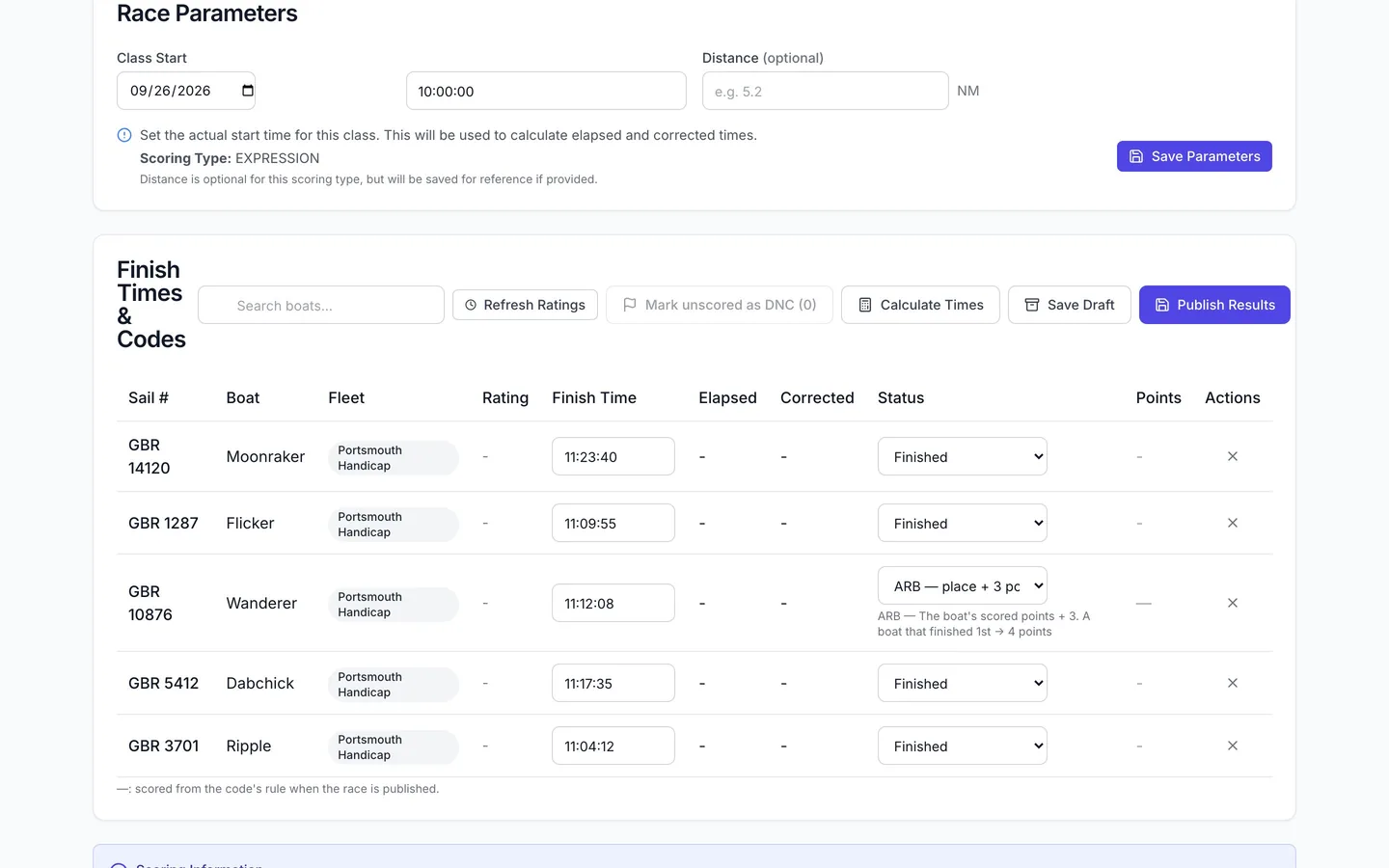
Add codes of your own, such as ARB for the boat’s points plus 3, with a worked example before you save. They appear in finish entry with the standard codes.
- Codes for every class or one class, and for all races or some
- Redress with points awarded, or the average of other races
- Change a built-in code for one class, or reset to RRS Appendix A
- Warnings when a code could reward not sailing
Race options
Practice races that don’t count
Mark a practice race and it drops out of the standings and every count, but its results stay visible as a greyed P column.
- Does not count (practice)
- Cannot be discarded, or Discard this race first
- A wind band per class for handicaps with wind-based ratings
Scoring warnings
No wrong results published quietly
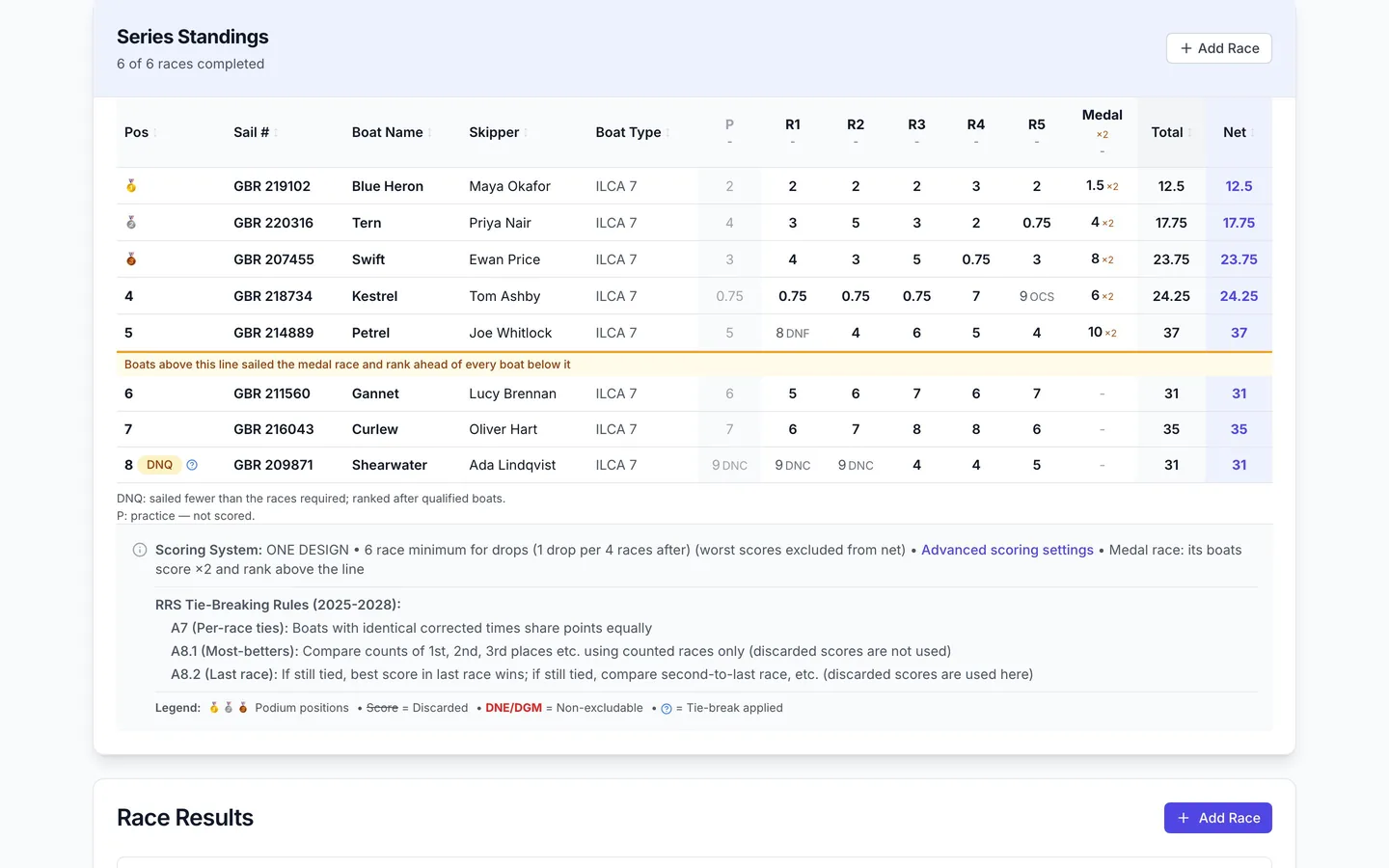
If a result can’t be scored properly, such as a finisher with no rating or a missing race distance, publishing stops and says which boat and why. Your results are kept as a draft.
- Blocking warnings name the boat and the fix
- Other warnings show on the race and can be marked resolved
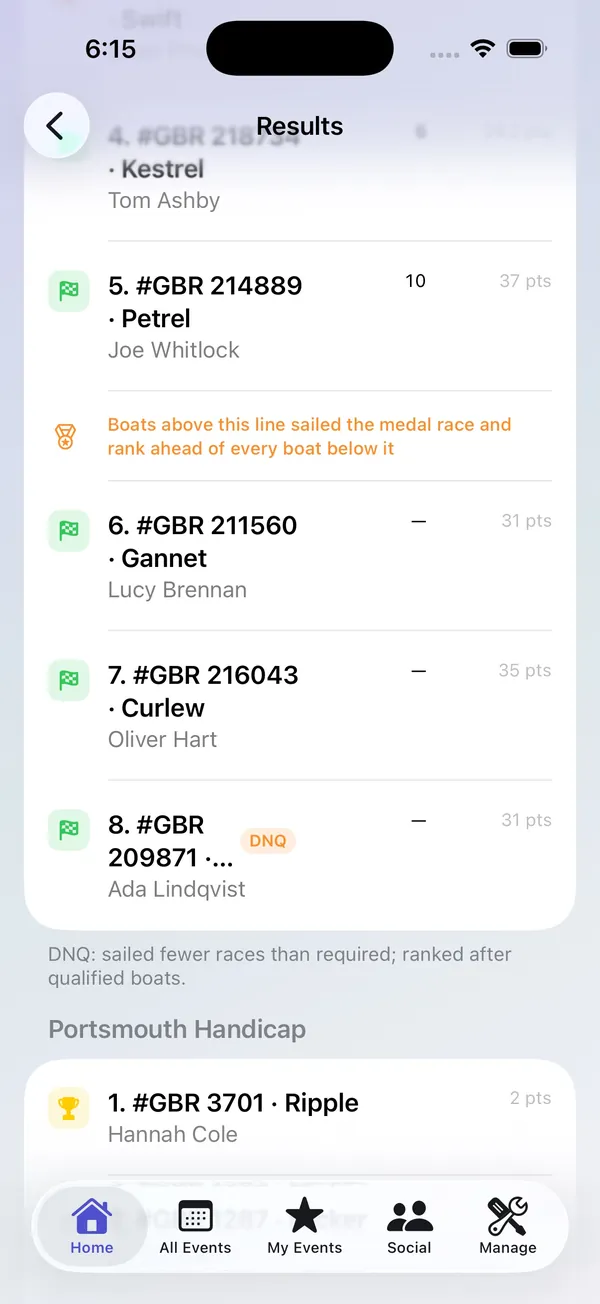
- Public results explain marks such as DNQ, practice races and the medal line
History
Change your mind at any time
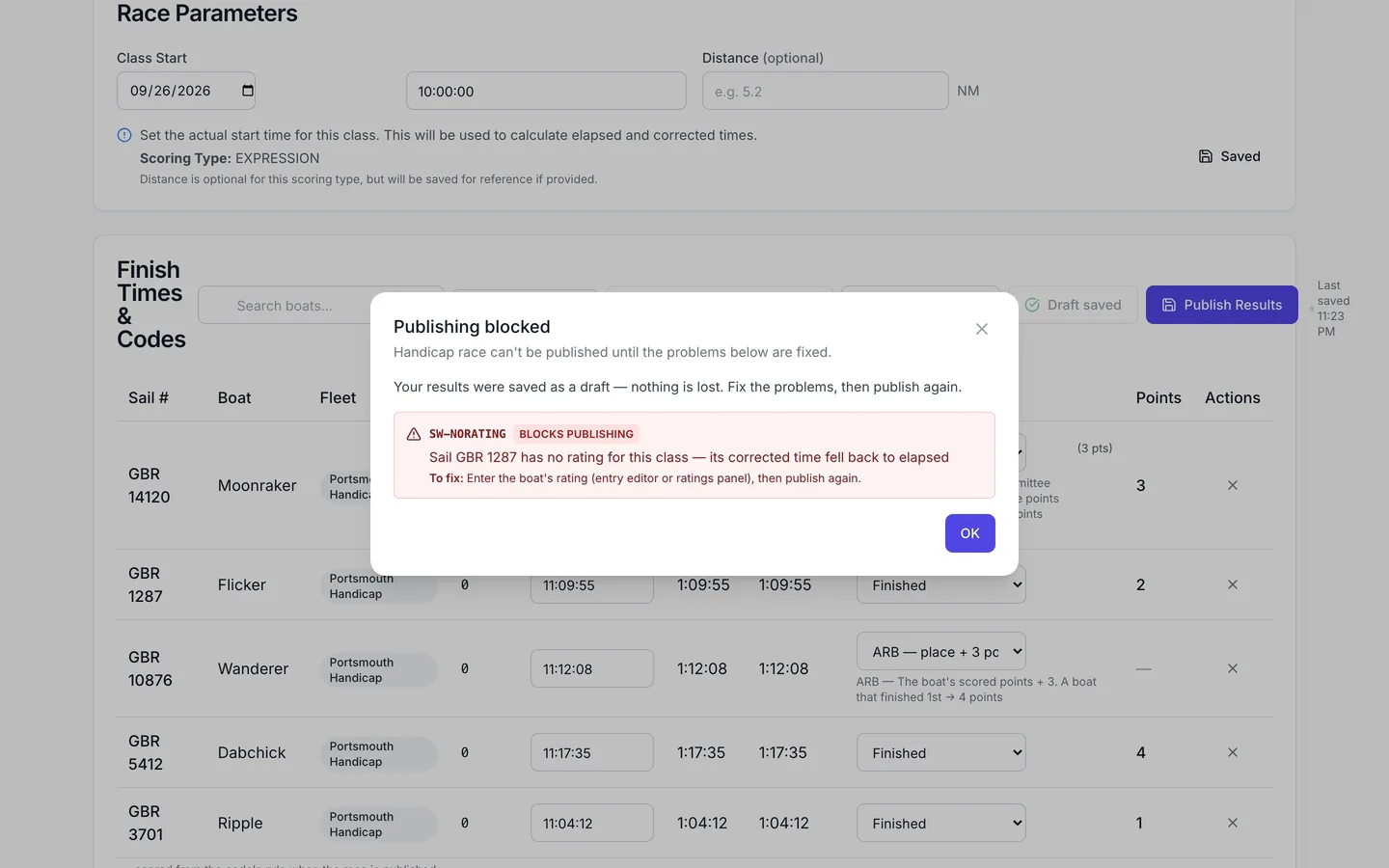
Every scoring change is recorded: what changed, who changed it and when. Restore any earlier setting after the same preview, or put a class back on default scoring in one step.
- History for every section, with Restore
- Reset to default scoring lists what goes back and what is kept
- Results, ratings and per-race options are never lost in a reset
Results sailors understand, coming to iPhone
Public results show the medal column and line, practice races and DNQ, with a note explaining each mark. The same results, and your club’s finish codes in finish entry, are coming to the RegattaHub iPhone app.
Step-by-step guides
Plain-language, step-by-step help for each part of Advanced scoring settings.
Advanced scoring settings: what stays default and where
What default scoring covers, where the Advanced scoring settings link is, and how saving, previews and history work.
Step-by-step · 5 min readPoints for a place and tie-breaks
Low point, ¾ for a win, bonus point, your own table or a formula in p, and tie-breaks, with worked examples.
Step-by-step · 4 min readDiscards and minimum races to qualify
Discards by schedule, table or formula, a minimum number of races to qualify, and how DNQ shows in results.
Step-by-step · 4 min readMedal races: double points and the medal line
Choose the race and who sails it; it scores double, can’t be discarded, and the medal line keeps its boats on top.
Step-by-step · 7 min readCustom handicaps: Portsmouth, IRC and your own formula
RYA Portsmouth and IRC, or your own rating formula in e, r and d with a rating name, usual range and Check panel.
Step-by-step · 4 min readFinish codes, club codes and redress
Add your club’s own codes (ARB = points + 3), change built-in codes, and score redress by points awarded or averages.
Step-by-step · 3 min readPractice races and other race options
Practice races that don’t count, races that can’t be discarded, discard-first races and wind bands.
Step-by-step · 3 min readScoring warnings: why publishing can be blocked
What stops a race from being published, what the warnings mean, and how to fix them.
Step-by-step · 3 min readScoring preview, history, restore and reset
See who moves before saving, restore any earlier setting from History, or reset a class to default scoring.
Full instructions in the Help Center: Advanced Scoring Settings → · All scoring articles →
Frequently asked questions
Do I need to set up advanced scoring for a normal regatta? +
No. Every class starts on default scoring: RRS Appendix A low point, the discards from the class editor and RRS A8 tie-breaks. Advanced scoring settings are only for events whose sailing instructions ask for something different.
Does RegattaHub score medal races? +
Yes. Choose the race and who sails it. By default the medal race scores double, cannot be discarded, and its boats rank above every boat that did not sail it. Public results show the medal column and line.
Can I score RYA Portsmouth or IRC handicaps? +
Yes. Set a class’s rating system to RYA Portsmouth or IRC, or write your own rating formula with its own rating name and usual range. Sailors enter their rating when they register.
Can I use my own points table? +
Yes. Each class can use low point, low point with 0.75 for a win, bonus point, your own points table or a points formula. RegattaHub checks the rule and shows who moves before saving.
Can a scoring change be undone? +
Yes. Every change is recorded in History with Restore, and Reset to default scoring puts a class back in one step, after a preview.