How to add club finish codes and score redress in RegattaHub
RegattaHub scores the RRS Appendix A codes out of the box. In Finish codes you can add your club’s own codes, such as ARB for the boat’s points plus 3, change a built-in code for one class, and score redress by points awarded or an average of other races.
Every class is scored with the RRS Appendix A codes: DNC, DNS, OCS, DNF, RET, DSQ and the rest, with penalty codes scored by the penalty basis in Settings › General › Scoring. You only need this page for codes of your own, or a code that scores differently for one class.
Add a club code
- Open Advanced scoring settings and choose Finish codes. It reads RRS Appendix A: the built-in codes apply to every class.
- Press Add code.
- Code: 1–8 letters or digits, shown in finish entry and results, for example
ARB. Meaning: for example Arbitration: place + 3. - Applies to: Every class, or one class only.
- Scores: choose how the code is scored, and fill in N where asked. The choices are grouped:
- Counted boats + N places: series entries, boats at the start area, starters, finishers …
- Finishing place + penalty: the boat's points + N, place + N % of a count, place + N % at most half-way to DNF (SCP, rule 44.3) …
- Average of other races + N: all the boat's races, races that were not DNC, races not discarded, races before this one, or specific races.
- Fixed: a fixed N points, or points typed in when the code is entered.
- Alias: scored the same way as another code.
- Under Series behaviour: Can be discarded (off for DNE/DGM-style codes) and Does not change other boats' scores (RRS A6.2), which is always on for codes that keep the boat's place.
- Under Counts the boat as: Came to the start area, Started, Finished. These feed the counts other codes use.
- Applies to races: leave blank for every race, or list races, for example
1,3,5-7. - Press Done, then Save & rescore. With finished races, the preview shows who moves first.
Example: ARB = the boat's points + 3. Choose The boat's points + N and N = 3. The dialog works an example with the race's real numbers:
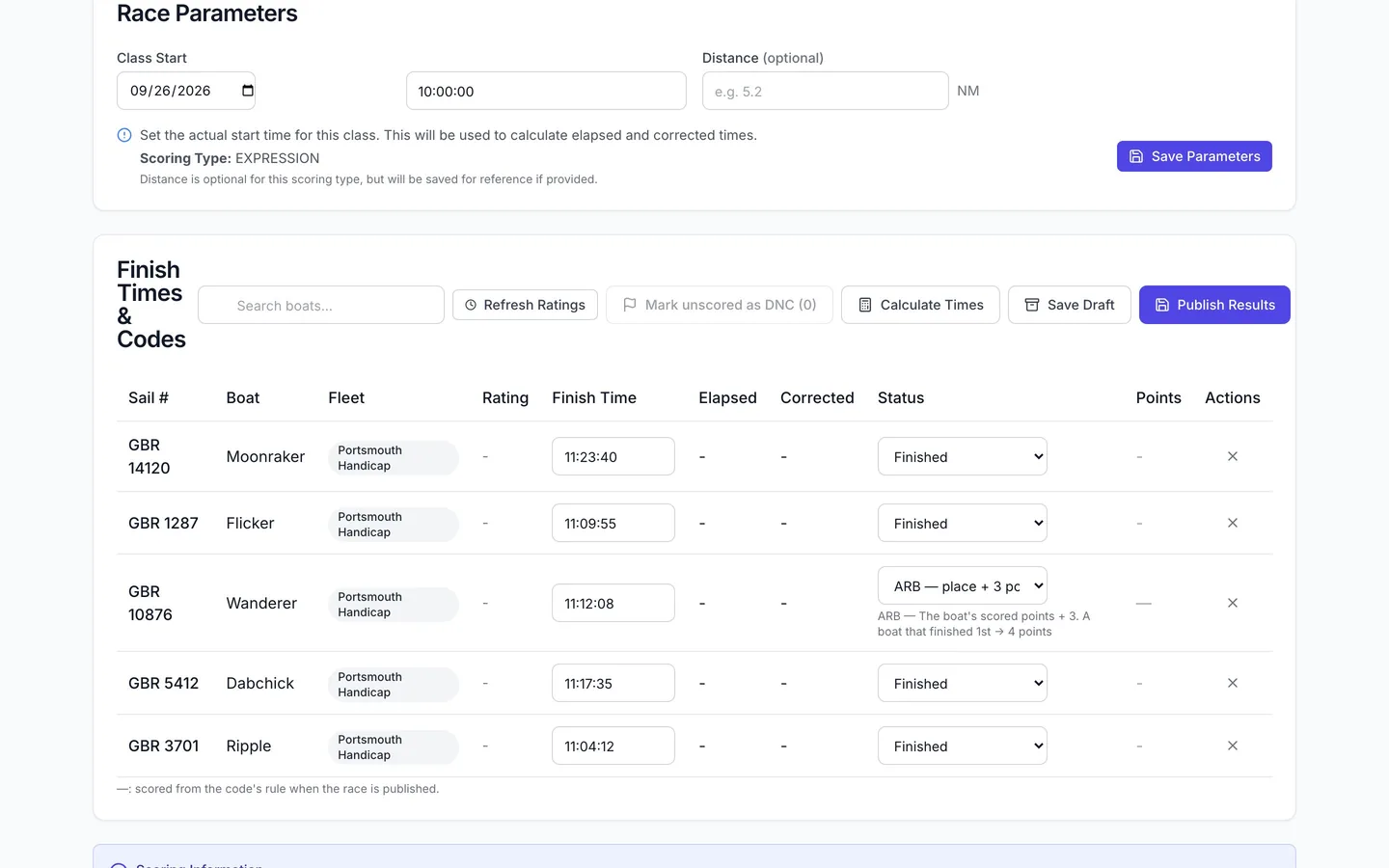
ARB — The boat's scored points + 3. Example with 10 entries, 9 at the start area, 8 starters, 7 finishers: a boat that finished 1st → 4 points.
In finish entry, ARB sits in the status list with the standard codes, with its meaning as helper text. Club codes are coming to finish entry in the RegattaHub iPhone app too.
RegattaHub warns you about a code that could reward not sailing, for example one whose points could be at or below the last finisher's in a class of the current size.
Change a built-in code for one class
Open Built-in codes (RRS Appendix A), choose a class under Show, and change the code. The change applies to that class only. Reset all to RRS Appendix A removes your changes (after a preview if there are results).
Redress and other hand-entered points
- RDG — points set by the committee. When you choose RDG in finish entry, RegattaHub asks for the Points awarded for that boat. They must be 0 or more. Points better than the boat's actual finish are allowed (redress can do that), with a note.
- RDGa — average of the boat's other races and RDGb — average of earlier races: no points to type. The average is worked out and kept up to date every time results are scored or published. Until the boat has other races scored, the average is pending and the boat ranks with the boats that did not finish, with a note in the results.
- RCN — place unchanged: the boat keeps the points it scored.
Codes that need points typed in (such as RDG) are entered on the web.
Frequently asked questions
Can I add my own finish codes?
Yes. In Advanced scoring settings › Finish codes, press Add code, give it 1–8 letters or digits and a meaning, and choose how it scores. It then appears in finish entry on the web.
How do I score a code as the boat’s points plus 3?
Add a code, choose Scores: The boat’s points + N, and set N to 3. The dialog shows a worked example before you save.
How do I enter redress?
Choose RDG in finish entry and enter the Points awarded. For an average, use RDGa (average of the boat’s other races) or RDGb (average of earlier races); the average fills in automatically.
Can a code apply to one class or some races only?
Yes. Set Applies to to one class, and list races under Applies to races, for example 1,3,5-7.
How do I undo my code changes?
Press Reset all to RRS Appendix A, or restore an earlier version from History.
Related guides
- → Scoring warnings: why publishing can be blocked What stops a race from being published, what the warnings mean, and how to fix them.
- → Points for a place and tie-breaks Low point, ¾ for a win, bonus point, your own table or a formula in p, and tie-breaks, with worked examples.
- → Advanced scoring settings: what stays default and where What default scoring covers, where the Advanced scoring settings link is, and how saving, previews and history work.
- → Scoring preview, history, restore and reset See who moves before saving, restore any earlier setting from History, or reset a class to default scoring.
First regatta free
No monthly fees. No commitment. Try RegattaHub on a real event at zero cost.
Go to App