How to change points for a place and tie-breaks in RegattaHub
Low point is the default. For events whose sailing instructions say otherwise, each class can use low point with ¾ for a win, bonus point, your own points table or a points formula, and its own tie-breaks. RegattaHub checks every rule before it is saved and shows who moves.
"Points for a place" is what a finishing place is worth. RegattaHub uses low point by default. Finish codes such as DNF score "points for the place of …" under whichever system the class uses.
The systems
| System | Points |
|---|---|
| Low point (RRS A4) — default | 1st = 1, 2nd = 2, 3rd = 3 … |
| Low point, ¾ for a win | 1st = 0.75, then 2, 3 … |
| Bonus point | 1st = 0, 2nd = 3, 3rd = 5.7, 4th = 8, 5th = 10, 6th = 11.7, 7th = 13, then place + 6 |
| My own table | Your points for 1st, 2nd, 3rd …; after the last place, 1 more point for each place. |
| Formula (advanced) | Points written in terms of p, the place. |
Change the system for a class
- Open Advanced scoring settings, choose the class, then Points for a place.
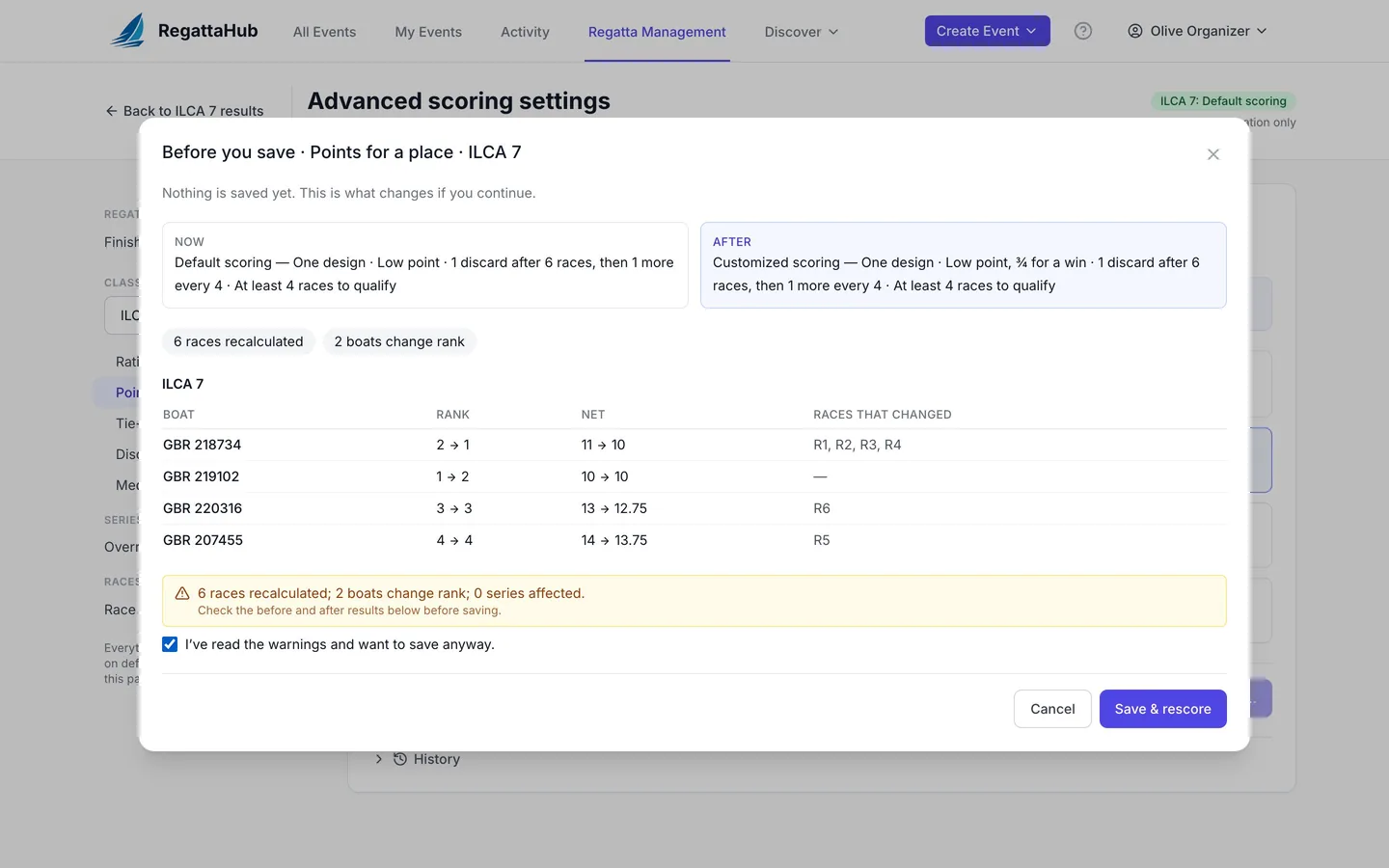
- Pick a system. The sentence at the top changes straight away, for example Low point, ¾ for a win: 1st = 0.75 points, 2nd = 2 points, and so on, with an example such as DNF in an 8-boat class scores 9.
- Press Save & rescore. If the class has finished races, the preview lists every boat whose rank or net points change, and which races changed. Confirm to save.
The class's header status changes to Customized scoring. In the results, every race win now shows 0.75.
My own table
Enter the points for each place in its own box (1st, 2nd, 3rd …); Add place adds another, up to 60. After the last place in your table, each further place scores 1 more point.
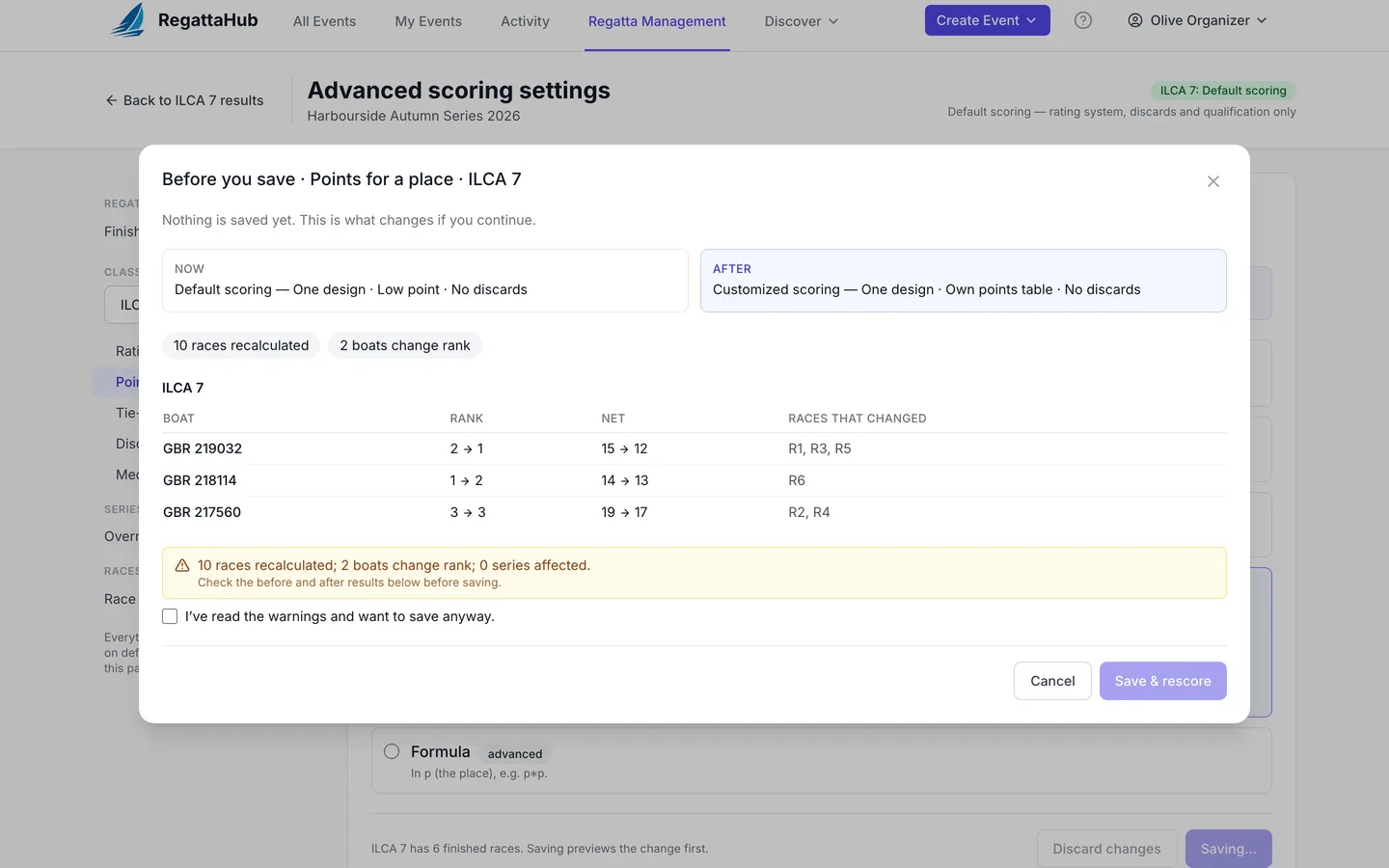
Example. A table of 0, 2, 3, 4 reads:
My own table: 0, 2, 3, 4 points for 1st to 4th, then 1 more point for each place after — DNF in an 8-boat class scores 9.
So a win scores 0, 5th scores 5, and a DNF in an 8-boat class (the points for 9th) scores 9. In the demo, Sprite has three wins and moves from 2nd to 1st. The rules:
- Every value must be 0 or more.
- Points can stay the same from one place to the next (
0, 2, 2, 4is fine) but never go down. A table of1, 3, 2is refused: 3rd place scores 2, less than 2nd (3). A lower place can never score fewer points.
A points formula
Choose Formula and write the points in terms of p, the place, using numbers, + − × / and brackets. The section shows what 3rd place would score.
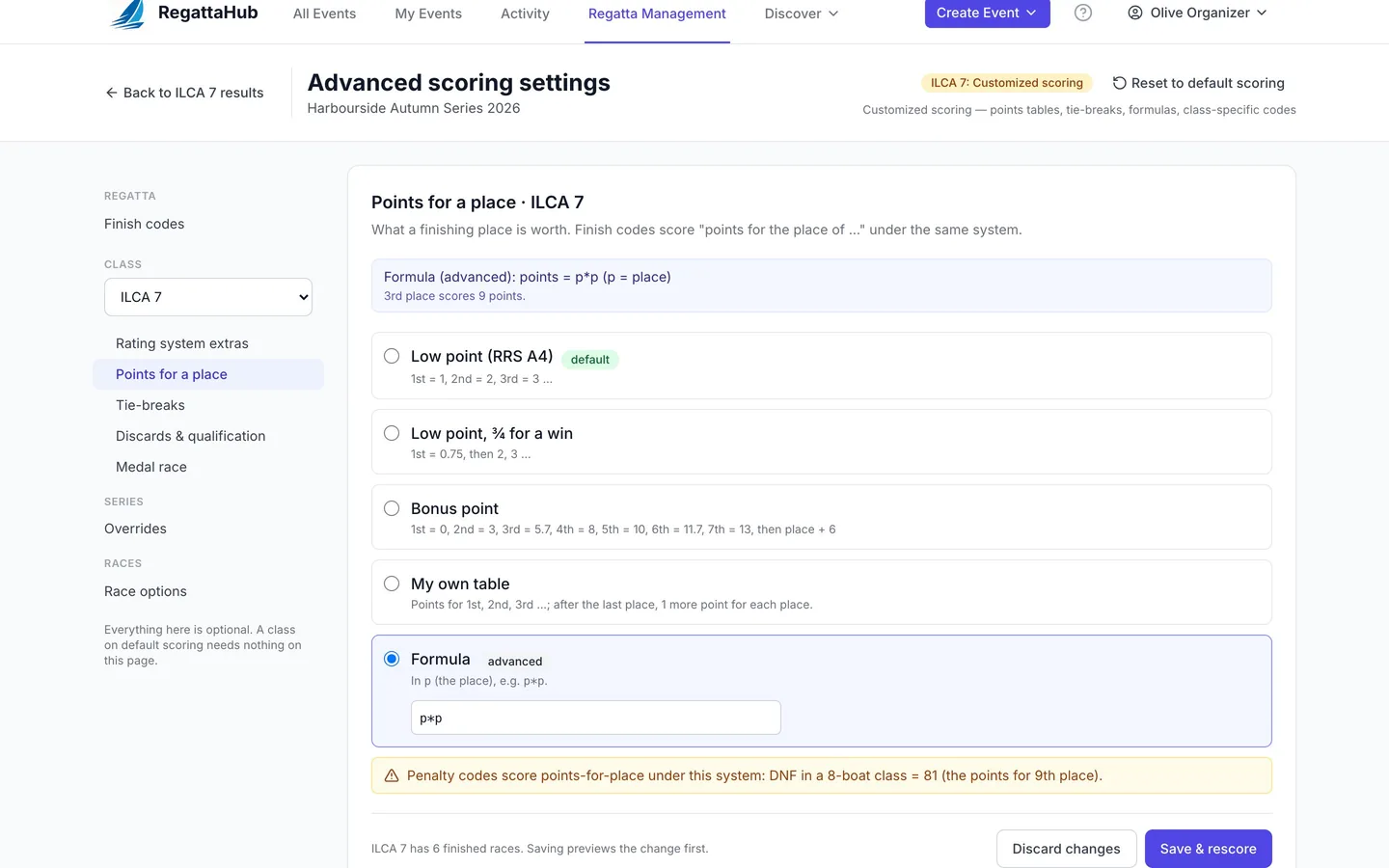
p*2is accepted: 1st = 2, 2nd = 4, 3rd = 6 (3rd place scores 6 points).p*pis accepted: 1st = 1, 2nd = 4, 3rd = 9, 4th = 16.10-pis refused, because lower places would score fewer points: 2nd place scores 8, not more than 1st (9). Every place must score more than the one before it.- A formula that can't be read is refused with the reason and where it went wrong, for example
p*: The points formula can't be read: Unexpected end of expression at position 2.
RegattaHub checks a formula for every place up to at least 400, so a formula that turns downward later in the fleet is caught too. Unlike a table, a formula must go up at every place: two places can't score the same.
Penalty codes under another system
Finish codes score the points for a place, so under a table or formula a DNF may score something other than "entries + 1". RegattaHub warns you with the actual number, for example:
Penalty codes score points-for-place under this system: DNF in a 8-boat class = 81 (the points for 9th place).
That is p*p in an 8-boat class: a DNF scores the points for 9th place, 81.
Tick I've read the warnings and want to save anyway to save it.
High point series
A points table or formula can't be used while a series in the regatta scores high point or high point percentage. The message names the series; change the series scoring method, or keep low point for the class. See the high point series guide.
Tie-breaks
In Tie-breaks, tick the rules the sailing instructions call for:
- Most firsts, then most seconds … (RRS A8.1)
- Better score in the last race, then the one before (RRS A8.2)
- Best discarded race wins (Appendix B8.8, windsurfing): checked before A8.1 when on.
- For A8.2 only look at races from race … onwards, for events with qualifying and final series. Leave it blank for every race.
The default reads Ties: RRS A8.1 then A8.2 (rulebook default). With every tie-break off, RegattaHub warns you that tied boats will be ordered by sail number.
Different points for one series
Series in RegattaHub cover every class. In Advanced scoring settings › Series › Overrides, choose a series and tick Also override points and tie-breaks for this series to give it its own points system and tie-breaks. The override applies to every class in the regatta. Sub-series always follow the overall series' points.
Frequently asked questions
How do I score 0.75 points for a win?
In Advanced scoring settings, choose the class, open Points for a place and pick Low point, ¾ for a win. Then press Save & rescore.
Can I use my own points table?
Yes. Choose My own table and enter the points for 1st, 2nd, 3rd and so on, up to 60 places. After the last place each further place scores 1 more point. Points may stay the same from one place to the next but never go down.
Why was my points formula refused?
A formula must give more points to every lower place. For example 10-p is refused because 2nd would score 8, fewer than 1st with 9. The message names the first place where it goes wrong.
How do penalty codes score under a points table?
They score the points for the place they stand for. For example a DNF in a 12-boat class scores the points for 13th place. RegattaHub shows the number and asks you to confirm before saving.
Which tie-breaks does RegattaHub use?
RRS A8.1 then A8.2 by default. You can add Appendix B8.8 (best discarded race, used in windsurfing), limit A8.2 to races from a given race onwards, or turn tie-breaks off.
Related guides
- → Advanced scoring settings: what stays default and where What default scoring covers, where the Advanced scoring settings link is, and how saving, previews and history work.
- → Discards and minimum races to qualify Discards by schedule, table or formula, a minimum number of races to qualify, and how DNQ shows in results.
- → Scoring preview, history, restore and reset See who moves before saving, restore any earlier setting from History, or reset a class to default scoring.
- → Medal races: double points and the medal line Choose the race and who sails it; it scores double, can’t be discarded, and the medal line keeps its boats on top.
First regatta free
No monthly fees. No commitment. Try RegattaHub on a real event at zero cost.
Go to App