How to mark a practice race and set race options in RegattaHub
In Race options you can mark a race as Does not count (practice), stop a race from being discarded, make a race every boat’s first discard, and record a wind band per class. Blank rows are the normal case.
Advanced scoring settings › Races › Race options is one table with a row per race in the regatta. Blank rows are the normal case. Each row has:
| Option | What it does |
|---|---|
| Does not count (practice) | The race is left out of the standings and of every count: discards, the minimum races to qualify and the counts finish codes use. |
| Cannot be discarded | No boat can drop its score in this race. |
| Discard this race first | This race is every boat's first discard once the series allows one. |
| Wind band (per class) | For classes with wind bands, which band this race was sailed in. |
Mark a practice race
- Open Advanced scoring settings and choose Race options under Races.
- Tick Does not count (practice) on the race's row.
- Save. If the race is already finished, the preview shows every boat whose rank or net changes. Confirm to save.
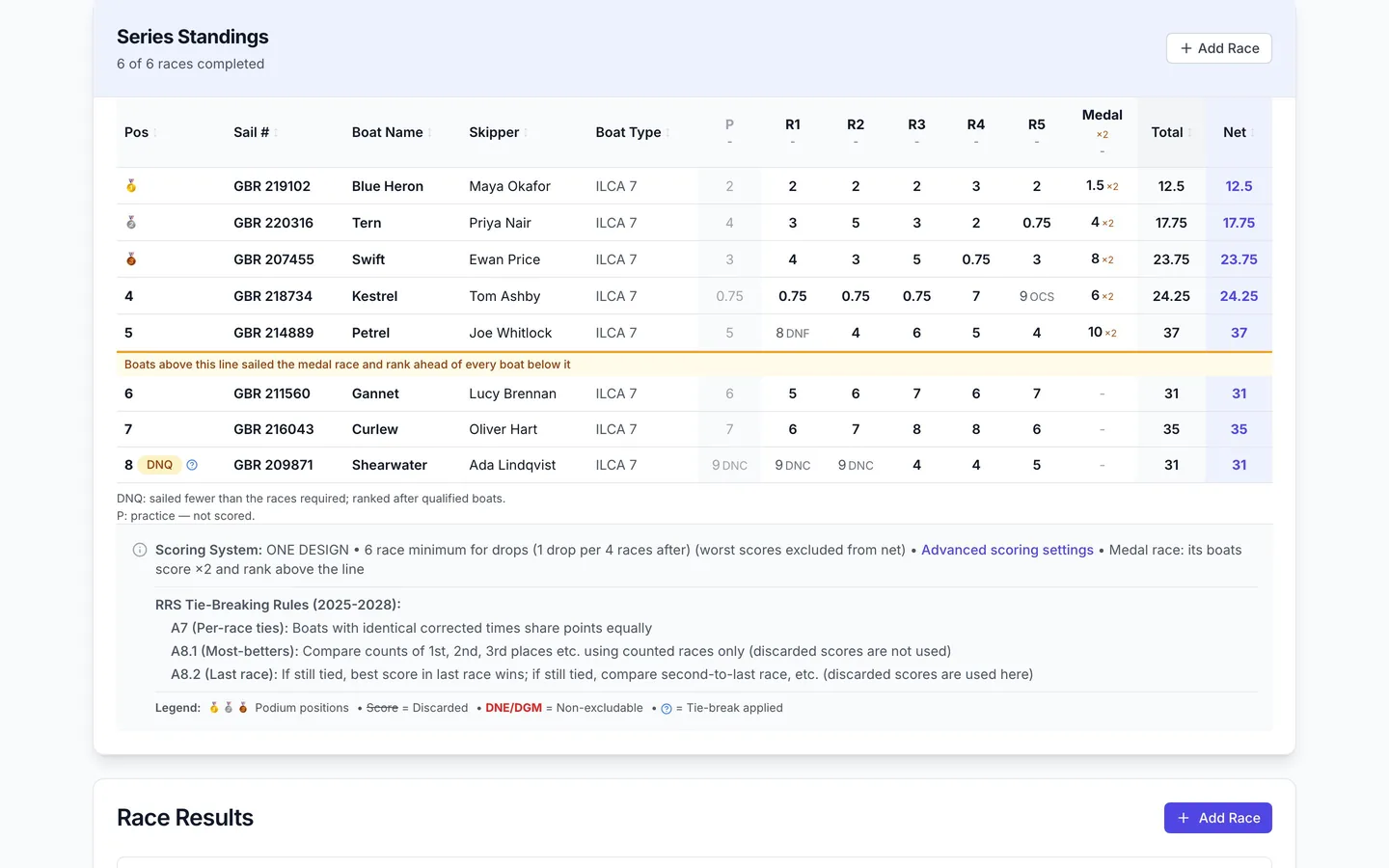
You can still enter and publish results for a practice race. In the standings it becomes a greyed column headed P, with the note P: practice — not scored, and it is left out of every race count, so, for example, with five other races sailed, a discard that starts after six races doesn't apply yet.
Discard options
Discard this race first is not the same as a practice race. The race still counts while a boat has no discard, and it uses up one of the boat's discards. RegattaHub shows this reminder on the page:
This race is every boat's first discard once the series allows one. It still counts while a boat has no discard, and it uses up one of the boat's discards. To leave a race out entirely, use "Does not count".
If the series has no discards yet, RegattaHub warns you that "Discard this race first" has no effect. A race can't be both Cannot be discarded and Discard this race first (or a practice race):
"Cannot be discarded" contradicts "Discard this race first".
A medal race can't be discarded by default; you don't need to tick it here.
Wind bands
For RYA Portsmouth, IRC and custom-formula classes with wind bands, each race has a wind band select for each such class. The boats' ratings for that band are used; a boat with no rating for the band uses its normal rating.
Race weight
Race weighting is not here: set each race's weight on the class results page, with Settings › General › Scoring › Race weighting.
Frequently asked questions
How do I make a practice race not count?
In Advanced scoring settings › Race options, tick Does not count (practice) on the race. It stays in the results as a greyed P column and is left out of the standings and of every race count.
Is "Discard this race first" the same as a practice race?
No. A discard-first race still counts until a boat has a discard, and then uses up one of its discards. To leave a race out entirely, use Does not count.
Can I stop one race from being discarded?
Yes. Tick Cannot be discarded on the race’s row.
Can I enter results for a practice race?
Yes. Enter and publish them as usual; they are shown under the race but not scored in the series.
Related guides
- → Discards and minimum races to qualify Discards by schedule, table or formula, a minimum number of races to qualify, and how DNQ shows in results.
- → Custom handicaps: Portsmouth, IRC and your own formula RYA Portsmouth and IRC, or your own rating formula in e, r and d with a rating name, usual range and Check panel.
- → Scoring preview, history, restore and reset See who moves before saving, restore any earlier setting from History, or reset a class to default scoring.
- → Advanced scoring settings: what stays default and where What default scoring covers, where the Advanced scoring settings link is, and how saving, previews and history work.
First regatta free
No monthly fees. No commitment. Try RegattaHub on a real event at zero cost.
Go to App